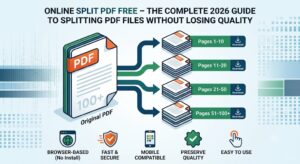
Online Split PDF Free – The Complete 2026 Guide to Splitting PDF Files Without Losing Quality
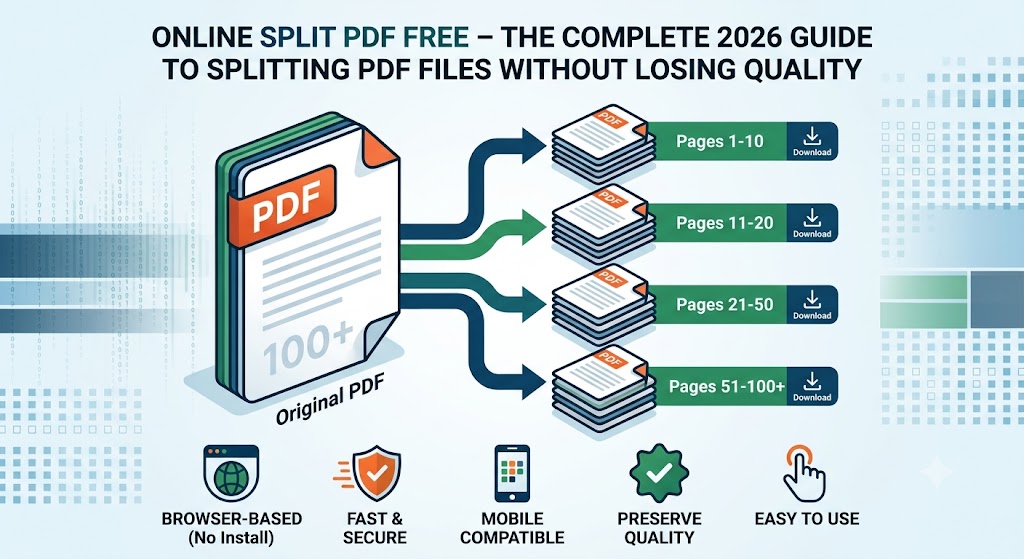
Online Split PDF Free – The Complete Guide to Splitting PDF Files Without Losing Qualityshowing split pdf
Large PDF documents are difficult to share, upload, and organize. Whether you’re working with contracts, study notes, bank statements, invoices, or scanned documents, you often need only a few pages instead of the entire file.
Using a reliable Online Split PDF Tool allows you to separate one PDF into multiple smaller files in just a few clicks. The process is fast, secure, and doesn’t require installing any software. If your PDF is too large to upload after splitting, you can also use our Compress PDF tool to reduce its size without affecting quality.
If you’re looking for a free, secure, and easy way to split PDF files online, this guide explains everything you need to know.
What Does Online Split PDF Mean?
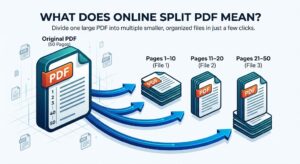
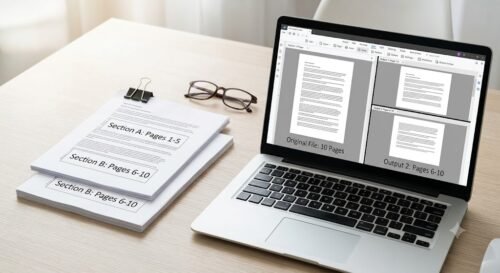
Splitting a PDF means dividing one PDF document into two or more separate PDF files.
For example:
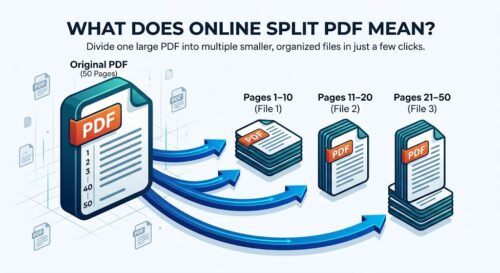
Original PDF
- 50 Pages
After Splitting
- Pages 1–10
- Pages 11–20
- Pages 21–50
Instead of sending the entire document, you can share only the pages that matter. If you ever need to combine those files again, simply use the Merge PDF tool to merge them into a single document.
Why Online Split PDF File?
There are many reasons why people split PDFs.
Save Upload Time
Smaller PDF files upload much faster. You can further reduce the file size using our Compress PDF tool.
Share Specific Pages
Send only the required pages to clients, teachers, or colleagues.
Reduce File Size
Breaking a large document into smaller files makes storage easier. For even smaller files, read our PDF Compressor 200KB Guide to learn how to compress PDFs while maintaining excellent quality.
Organize Documents
Separate invoices, reports, presentations, or assignments into individual PDFs. You can also use the Organize PDF tool to rearrange pages before sharing them.
Better Document Management
Finding and managing files becomes much simpler when your documents are properly organized.
How to Online Split PDF
Splitting a PDF online is incredibly easy.
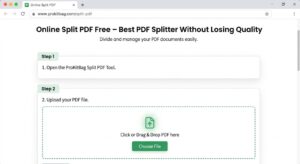
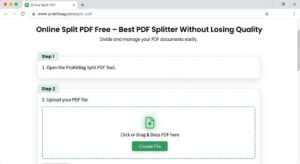
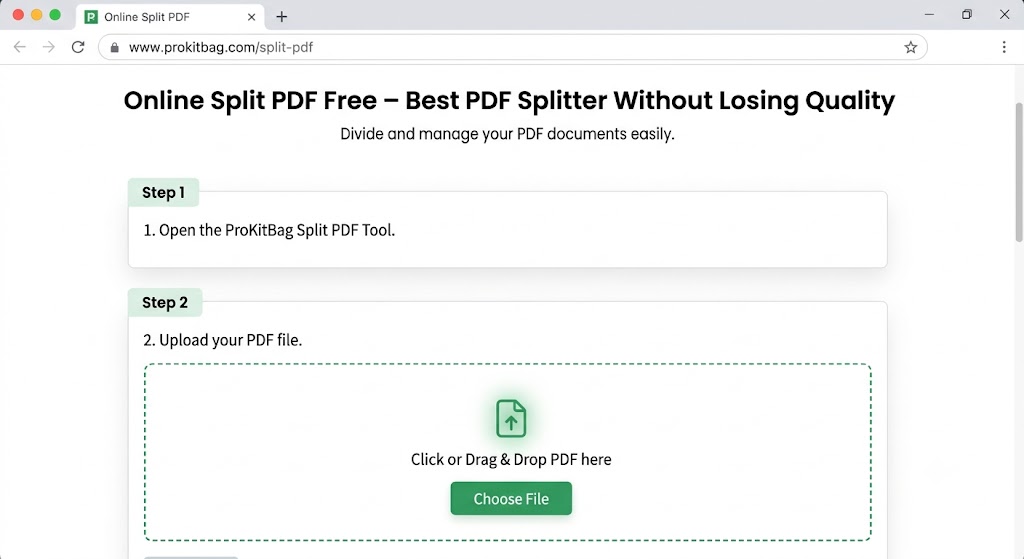
Step 1
Open the ProKitBag Split PDF Tool.
Step 2
Upload your PDF file.
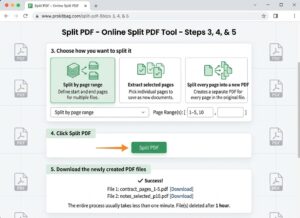
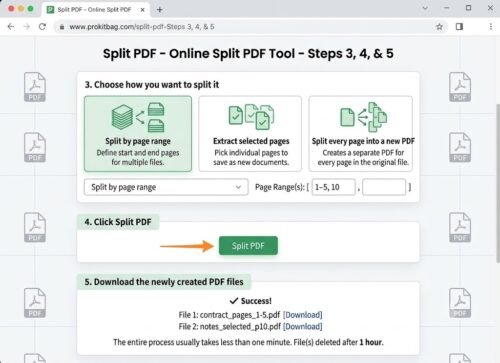
Step 3
Choose how you want to split it.
Options may include:
- Split by page range
- Extract selected pages
- Split every page into a new PDF
Step 4
Click Split PDF.
Step 5
Download the newly created PDF files.
The entire process usually takes less than one minute.
Features of a Good Online PDF Splitter Online
A high-quality PDF splitter should provide:
- Browser-based access
- No software installation
- Fast processing
- Secure file handling
- Works on mobile devices
- Supports large PDF files
- Maintains original quality
- Free to use
- Simple interface
If your workflow involves converting documents, you can also use PDF to JPG to convert PDF pages into images or JPG to PDF to turn images back into PDF documents.
Why Choose ProKitBag Online Split PDF Tool
The ProKitBag PDF Splitter is designed for speed and simplicity.
Benefits include:
- Completely browser-based
- Free to use
- No account required
- Original formatting preserved
- Works on Windows, Mac, Linux, Android, and iPhone
- Fast processing
- User-friendly interface
- Secure file handling
Whether you need to split a document into two files or extract just one page, ProKitBag makes the process quick and easy. If your document contains incorrectly oriented pages, you can quickly fix them using the Rotate PDF tool before downloading.
Online Split PDF Online vs Online Desktop Software
| Feature | Online PDF Splitter | Desktop Software |
|---|---|---|
| Installation | ❌ No | ✅ Required |
| Free to Use | ✅ Usually | ❌ Sometimes Paid |
| Mobile Support | ✅ Yes | ❌ Limited |
| Instant Access | ✅ Yes | ❌ No |
| Automatic Updates | ✅ Yes | ❌ Manual |
| Storage Required | ✅ None | ❌ Uses Disk Space |
| Works Anywhere | ✅ Yes | ❌ Device Limited |
For most users, an online PDF splitter is the faster and more convenient option.
Is It Safe to Online Split PDF Online?
Yes, if you use a trusted tool.
Choose a service that:
- Uses HTTPS encryption
- Automatically deletes uploaded files
- Doesn’t store personal documents
- Doesn’t require registration
- Protects your privacy
If your document is password-protected, you’ll first need to unlock it using the PDF Password Remover before splitting the file.
Never upload confidential documents to websites that don’t clearly explain how they handle your files.
Common Problems While Splitting PDFs
PDF Won’t Upload
Possible reasons:
Very large PDF
Slow internet connection
Unsupported file
Pages Are Missing
Check whether you selected the correct page range before splitting. If unnecessary pages are included, you can easily remove them using the Delete PDF Pages tool.
Download Doesn’t Start
Refresh the page and try again.
Password-Protected PDF
Encrypted PDFs must be unlocked before they can be split. Our PDF Password Remover tool can help if you have permission to remove the password.
Tips for Faster PDF Splitting
If the file is still too large, use Compress PDF before sharing it online.
Keep your browser updated.
Use a stable internet connection.
Upload the original PDF instead of a scanned copy when possible.
Select only the pages you need.
Close unused browser tabs to improve performance.
Frequently Asked Questions
Can I split PDF online for free?
Yes. Many online PDF splitters, including ProKitBag, let you split PDF files without paying.
Does splitting reduce PDF quality?
No. A good PDF splitter preserves the original quality and formatting.
Can I split password-protected PDFs?
Only after removing the password or entering the correct password.
Can I split PDFs on my phone?
Yes. Browser-based PDF splitters work on Android and iPhone devices.
Is registration required?
Most free PDF splitters do not require creating an account.
Can I split a PDF into individual pages?
Yes. Many tools allow every page to become a separate PDF.
Which browser supports PDF splitting?
Chrome, Edge, Firefox, Safari, Opera, and other modern browsers all support online PDF splitting.
Conclusion
Online Split PDF is one of the easiest ways to organize, share, and manage documents. Whether you’re extracting a few pages or dividing a large report into smaller files, an Online Split PDF tool saves time and eliminates the need for installing software.
For the best experience, choose a secure and reliable tool that preserves document quality, works on every device, and protects your privacy. With ProKitBag’s Online Split PDF tool, you can split PDF files online quickly, safely, and for free.