Table of Contents
- How to Type Hindi Using an English Keyboard
- What Is English to Hindi Typing (Transliteration)?
- How Does Hindi Transliteration Work?
- Step-by-Step Guide to Type Hindi Using an English Keyboard
- Examples of English to Hindi Typing
- Features and Benefits of Online Hindi Typing Tools
- Unicode vs Krutidev Typing: Which One Should You Choose?
- Hindi Typing for Government Exams
- Tips to Improve Your Hindi Typing Speed
- Common Mistakes to Avoid
- Frequently Asked Questions (FAQs)
- Conclusion
How to Type Hindi Using an English Keyboard
Typing Hindi using an English keyboard is one of the easiest ways to write in Hindi without learning a traditional Hindi keyboard layout. You simply type Hindi words using English letters, and an English to Hindi typing tool automatically converts them into Hindi script.
For example:
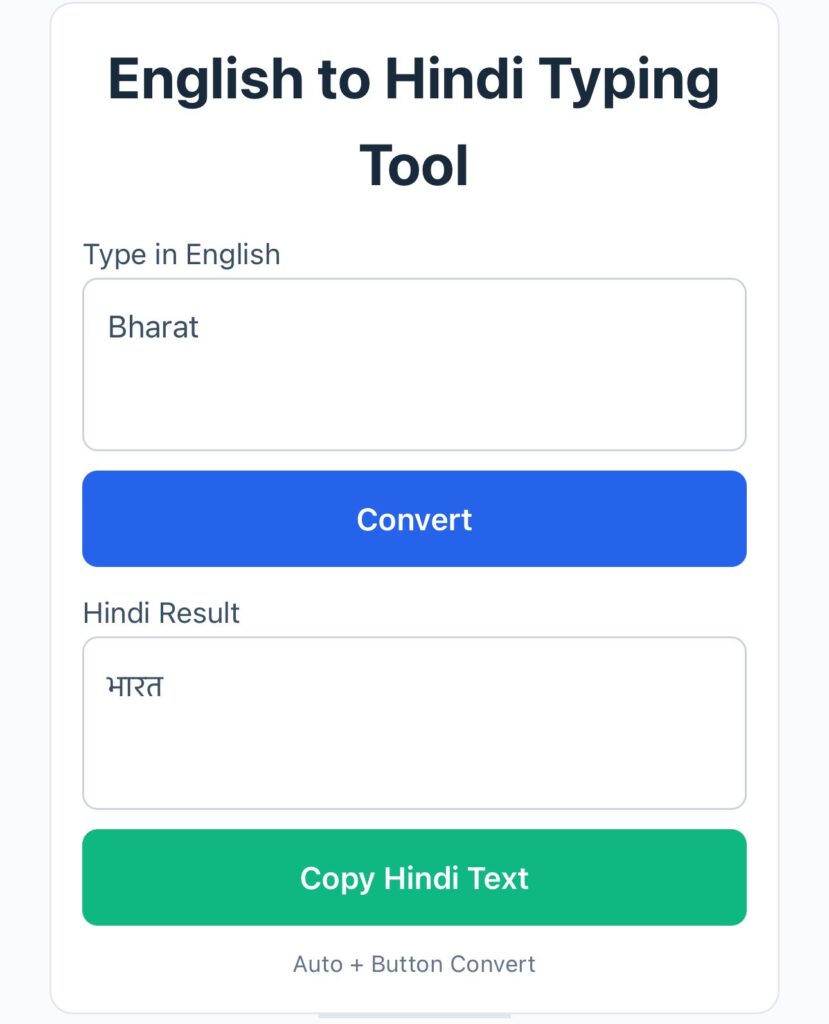
- namaste $\rightarrow$ नमस्ते
- bharat $\rightarrow$ भारत
- mera naam rahul hai $\rightarrow$ मेरा नाम राहुल है
This method is known as Unicode Hindi typing or transliteration typing. It is widely used by students, bloggers, professionals, government job aspirants, and social media users because it is simple, fast, and works on almost every device.
Unlike traditional Hindi typing methods that require users to memorize key combinations, English to Hindi typing allows beginners to start typing immediately. Most online Hindi typing tools also provide word suggestions, spelling assistance, and instant conversion.
If you need to write assignments, prepare notes, draft official letters, create Hindi content, or practice for competitive examinations, using an English keyboard to type Hindi can save significant time and effort.
What Is English to Hindi Typing (Transliteration)?
English to Hindi typing is a method of writing Hindi text by using the English alphabet. The software interprets the phonetic sound of the English letters and converts them into Hindi characters.
For example:
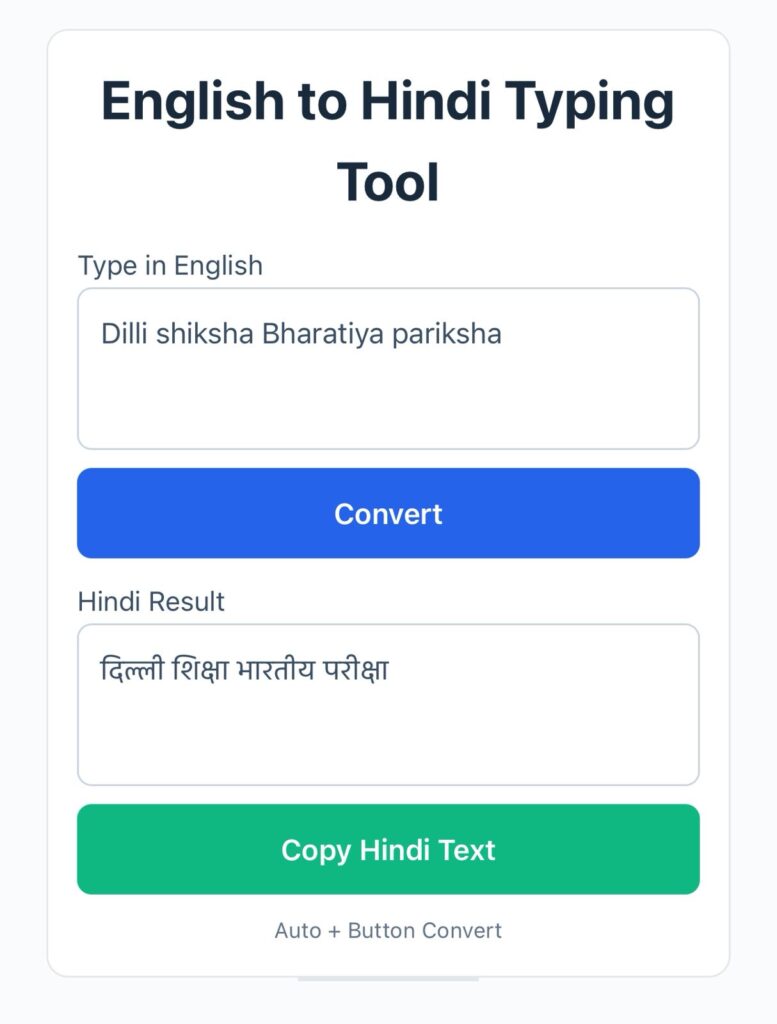
- dilli $\rightarrow$ दिल्ली
- shiksha $\rightarrow$ शिक्षा
- bharatiya $\rightarrow$ भारतीय
- pariksha $\rightarrow$ परीक्षा
This approach is called transliteration because you type according to pronunciation rather than memorizing a complex keyboard layout.
The generated Hindi text uses Unicode encoding, making it fully compatible with websites, Microsoft Word, emails, smartphones, social media platforms, and government portals.
How Does Hindi Transliteration Work?
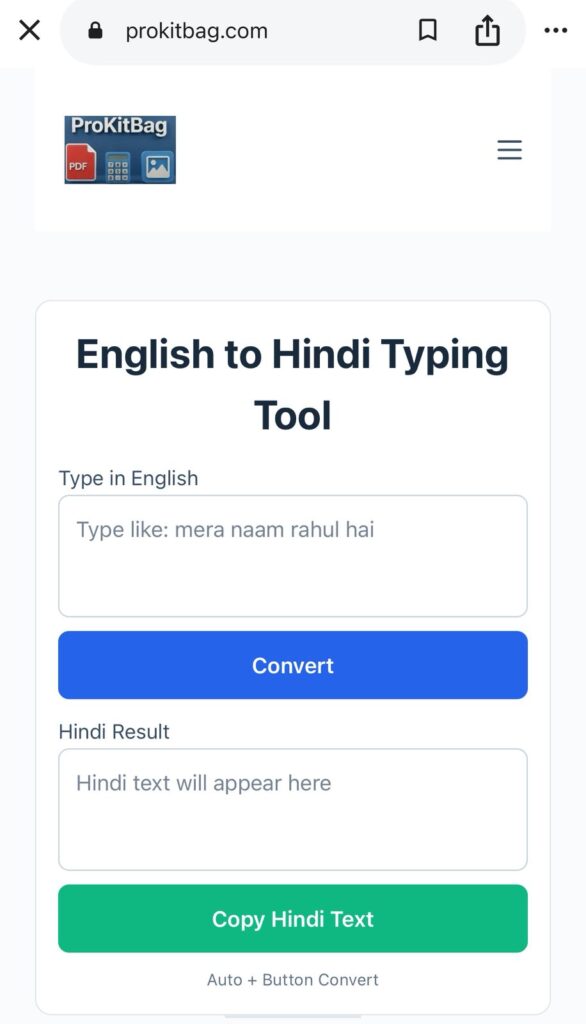
Hindi transliteration tools are powered by smart language algorithms that recognize the sounds represented by English letters.
The process is straightforward:
- Step 1: Open an English to Hindi typing tool.
- Step 2: Type Hindi words using English letters (phonetic typing).
- Step 3: The tool instantly converts the text into Hindi script.
- Step 4: Select alternative suggestions from the dropdown if required.
- Step 5: Copy the final Hindi text and use it anywhere.
Examples of phrases:
vidyalaya $\rightarrow$ विद्यालय
kripya $\rightarrow$ कृपया
dhanyavaad $\rightarrow$ धन्यवाद
sarkari naukri $\rightarrow$ सरकारी नौकरी
Step-by-Step Guide to Type Hindi Using an English Keyboard
Step 1: Open a Hindi Typing Tool
Choose a reliable English to Hindi typing tool that supports Unicode conversion.
Step 2: Start Typing Naturally
Write the Hindi words exactly as they sound to your ears.
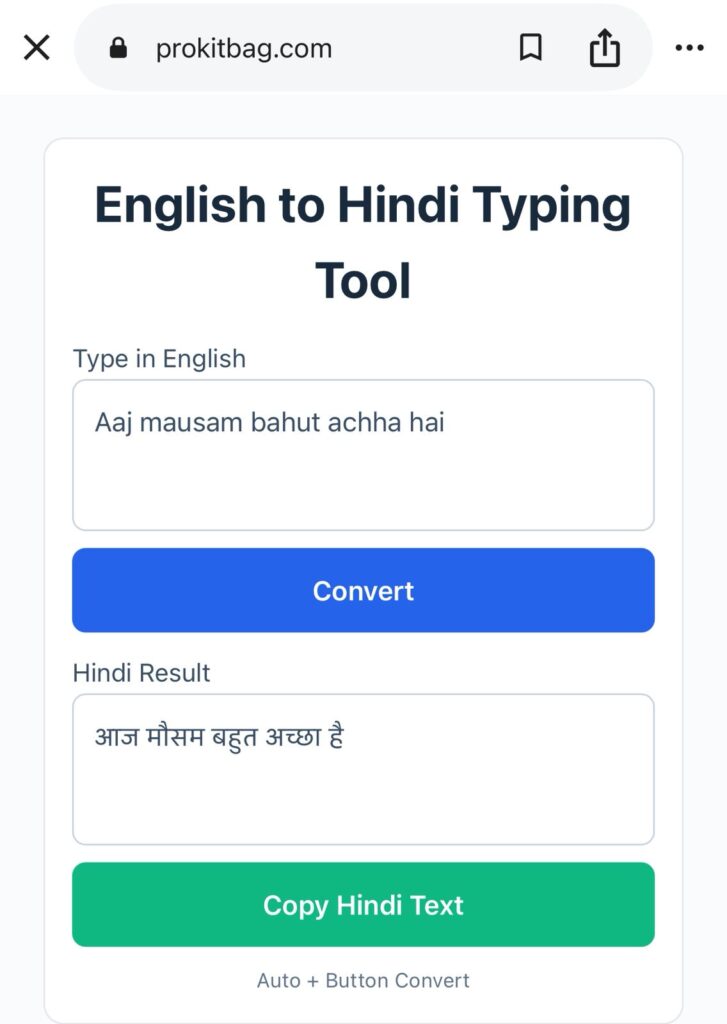
Example Input:
aaj mausam bahut accha haiOutput: आज मौसम बहुत अच्छा है
Step 3: Review Suggestions
Many tools provide multiple word suggestions via a dropdown menu. Choose the one that best matches your intended meaning.
Step 4: Copy the Text
Once satisfied with the conversion, copy the generated Hindi text.
Step 5: Paste Anywhere
Use the text freely in:
- School assignments & projects
- Office documents & emails
- Blogs and articles
- WhatsApp messages & Facebook posts
- Government applications
Examples of English to Hindi Typing
Below are some common examples to help you understand the format:
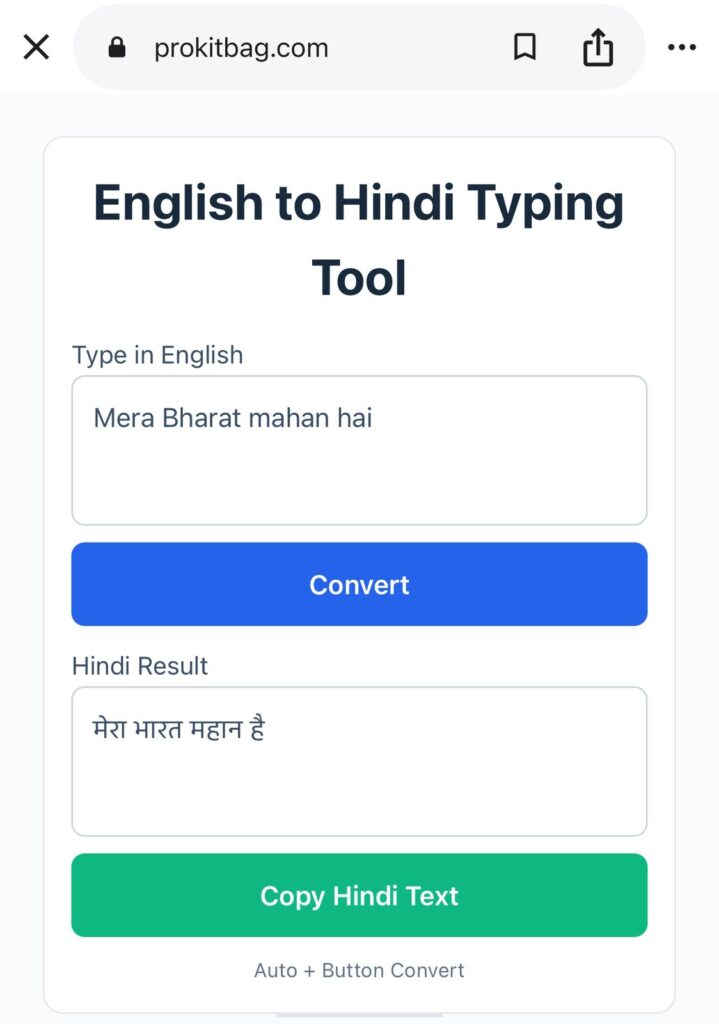
- English Input:
mera bharat mahan haiHindi Output: मेरा भारत महान है - English Input:
aap kaise hainHindi Output: आप कैसे हैं - English Input:
mujhe hindi typing seekhni haiHindi Output: मुझे हिंदी टाइपिंग सीखनी है - English Input:
shubh prabhatHindi Output: शुभ प्रभात
These examples show that anyone familiar with basic English letters can easily produce Hindi content without specialized training.
Features and Benefits of Online Hindi Typing Tools
Key Features
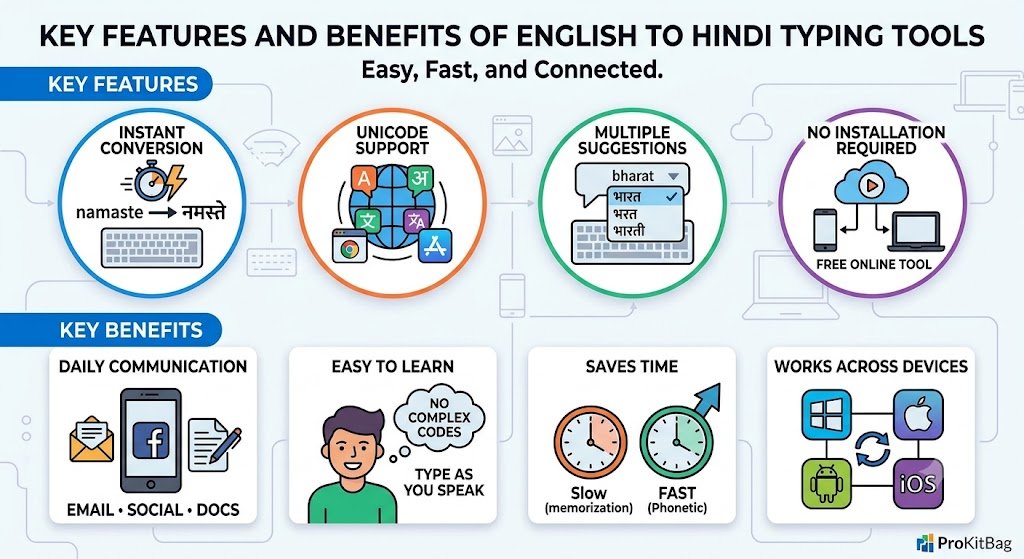
- Instant Conversion: Text is converted in real time as you hit the spacebar.
- Unicode Support: The output text works flawlessly on websites, applications, and modern devices.
- Multiple Suggestions: Alternative word options help improve contextual accuracy.
- No Installation Required: Most tools work directly from your mobile or desktop browser.
Key Benefits
Ideal for Daily Communication: Perfect for emails, social media posts, assignments, and official documentation.
Easy to Learn: You do not need to memorize complex key combinations. If you can type a text message in English, you can type Hindi.
Saves Time: Typing according to pronunciation is much faster for beginners.
Works Across Devices: Unicode Hindi text can be used on Windows, Mac, Android, iOS, and government websites.
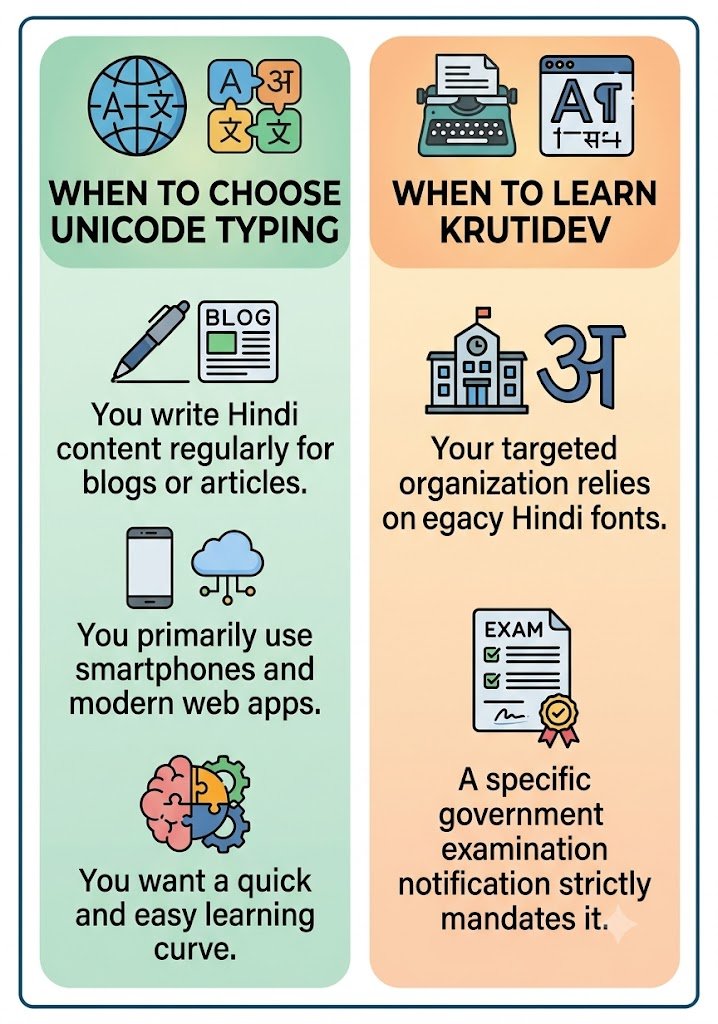
When to Choose Unicode Typing
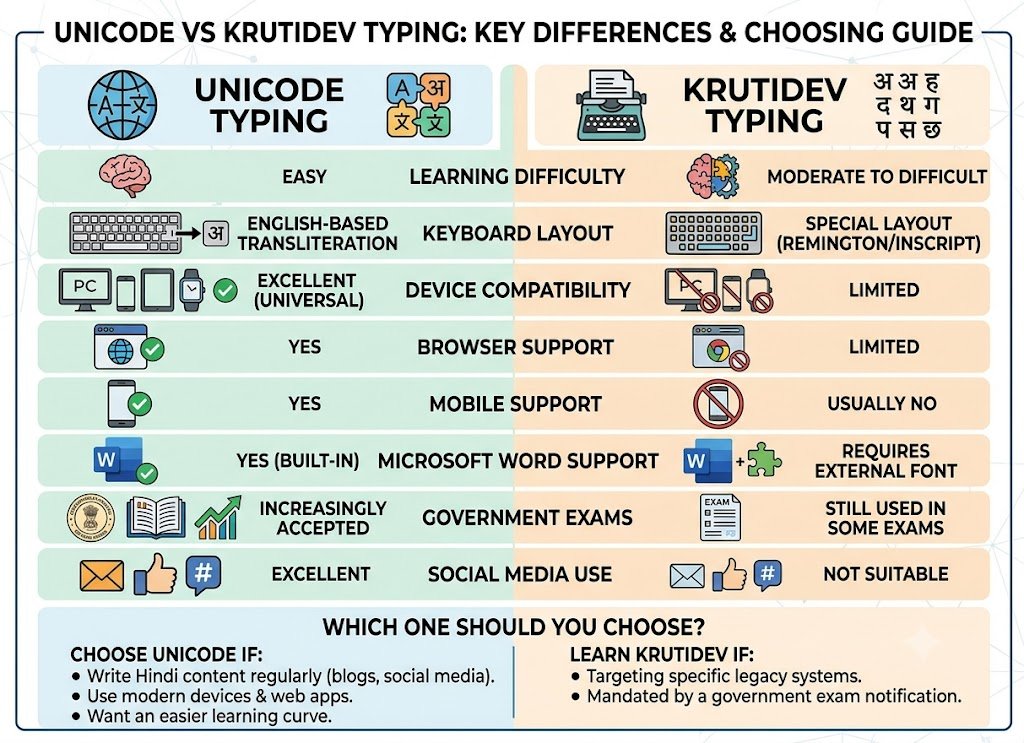
- You write Hindi content regularly for blogs or articles.
- You primarily use smartphones and modern web apps.
- You want a quick and easy learning curve.
When to Learn Krutidev
Your targeted organization relies on legacy Hindi fonts.
A specific government examination notification strictly mandates it.
Hindi Typing for Government Exams
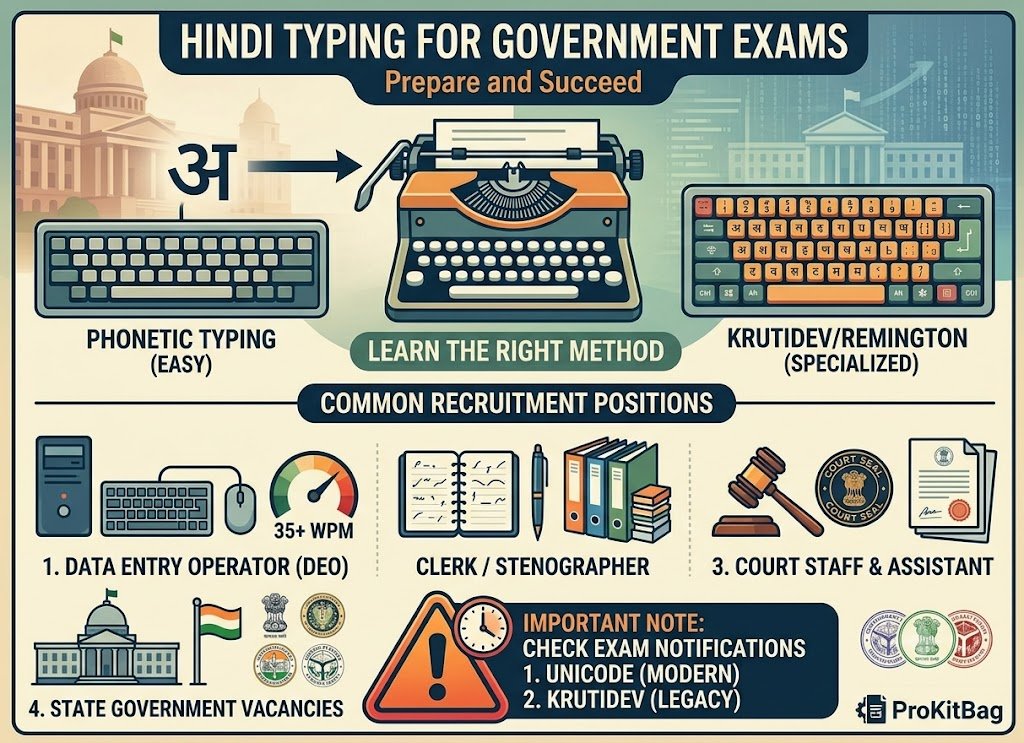
Hindi typing skills are increasingly important for candidates preparing for competitive examinations. Recruitment processes include typing tests for positions such as:
- Data Entry Operator (DEO)
- Clerk / Stenographer
- Court Staff & Assistant
- State Government Vacancies
Important Note: Candidates should carefully check examination notifications beforehand to determine whether Unicode typing or Krutidev typing is required for the practical test.
Tips for Government Exam Aspirants
- Practice Daily: Even 20–30 minutes of daily practice can significantly improve speed.
- Focus on Accuracy First: Typing without mistakes is more important than speed in the early stages.
- Learn Common Vocabulary: Government examinations often include frequently used administrative Hindi terms.
- Simulate Real Tests: Use countdown timers and practice paragraphs to prepare under examination stress.
- Track Your Progress: Monitor your words per minute (WPM) and error rate regularly.
Tips to Improve Your Hindi Typing Speed
Improving your Hindi typing speed requires consistency and smart practice techniques.
- Type Every Day: Regular practice builds muscle memory and confidence.
- Avoid Looking at the Keyboard: Try to focus on the screen text instead of looking down at your fingers.
- Start Slowly: Speed develops naturally after accuracy improves.
- Use Meaningful Sentences: Practice using real Hindi paragraphs rather than random word strings.
- Set Weekly Goals: Aim to increase your typing speed gradually (e.g., $+5$ WPM every week) instead of rushing.
Common Mistakes to Avoid
- Typing Too Fast Initially: Speed without accuracy leads to frustration and bad habits.
- Ignoring Suggestions: Word suggestions often provide the exact contextual Hindi spellings. Pay attention to them!
- Inconsistent Practice: Typing occasionally slows down your learning progress.
- Depending Entirely on Auto-Correction: Always proofread the converted text before using it in important official documents.
Frequently Asked Questions (FAQs)
Can I type Hindi using a normal English keyboard?
Yes. English to Hindi typing tools allow you to type Hindi phonetically using standard English letters.
Do I need to buy a special Hindi keyboard?
No. A regular English QWERTY keyboard is completely sufficient.
What is Unicode Hindi typing?
Unicode typing produces standardized Hindi text that works universally across websites, applications, smartphones, and modern operating systems.
Is English to Hindi typing free?
Yes, most online tools offer free Hindi transliteration services without any registration.
Can I copy the Hindi text into Microsoft Word?
Absolutely. Unicode Hindi text works perfectly in Microsoft Word, Google Docs, and similar applications without requiring any special font installation.
Conclusion
Typing Hindi using an English keyboard has transformed the way people communicate, study, and work in regional languages. It removes the technical barriers associated with traditional keyboard layouts and allows anyone to write Hindi quickly and efficiently.
Whether you are a student completing assignments, a professional drafting documents, a content creator publishing articles, or an aspirant preparing for government typing tests, English to Hindi transliteration provides a practical and accessible solution.
Ready to start typing in Hindi? Try the ProKitBag English to Hindi Typing Tool and experience fast, accurate, and hassle-free Hindi typing directly from your browser—completely free.