
Sign PDF Tool
Create high-definition digital signatures, adjust pen size/color, and place your signature dynamically anywhere on the document.
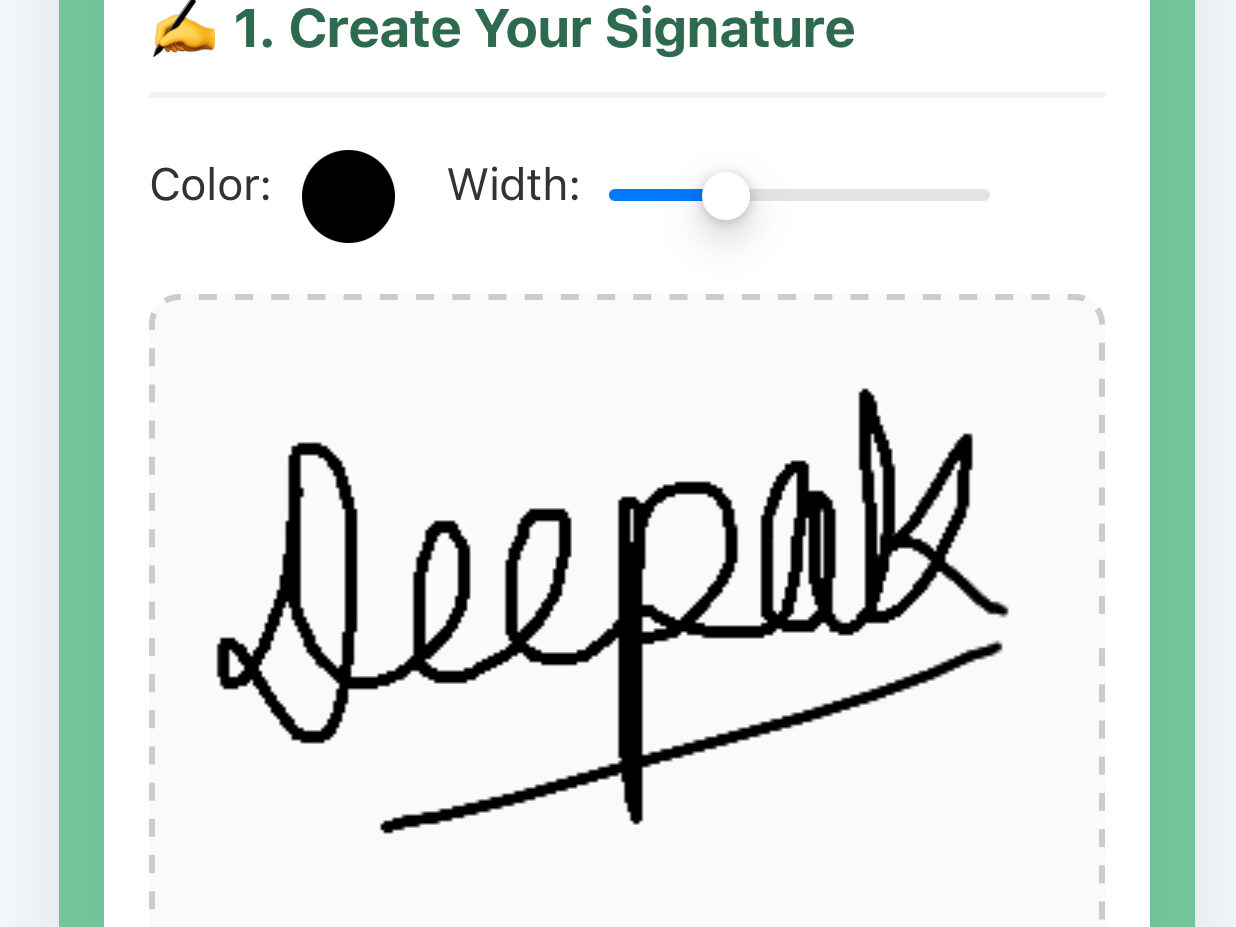
✍️ 1. Create Your Signature
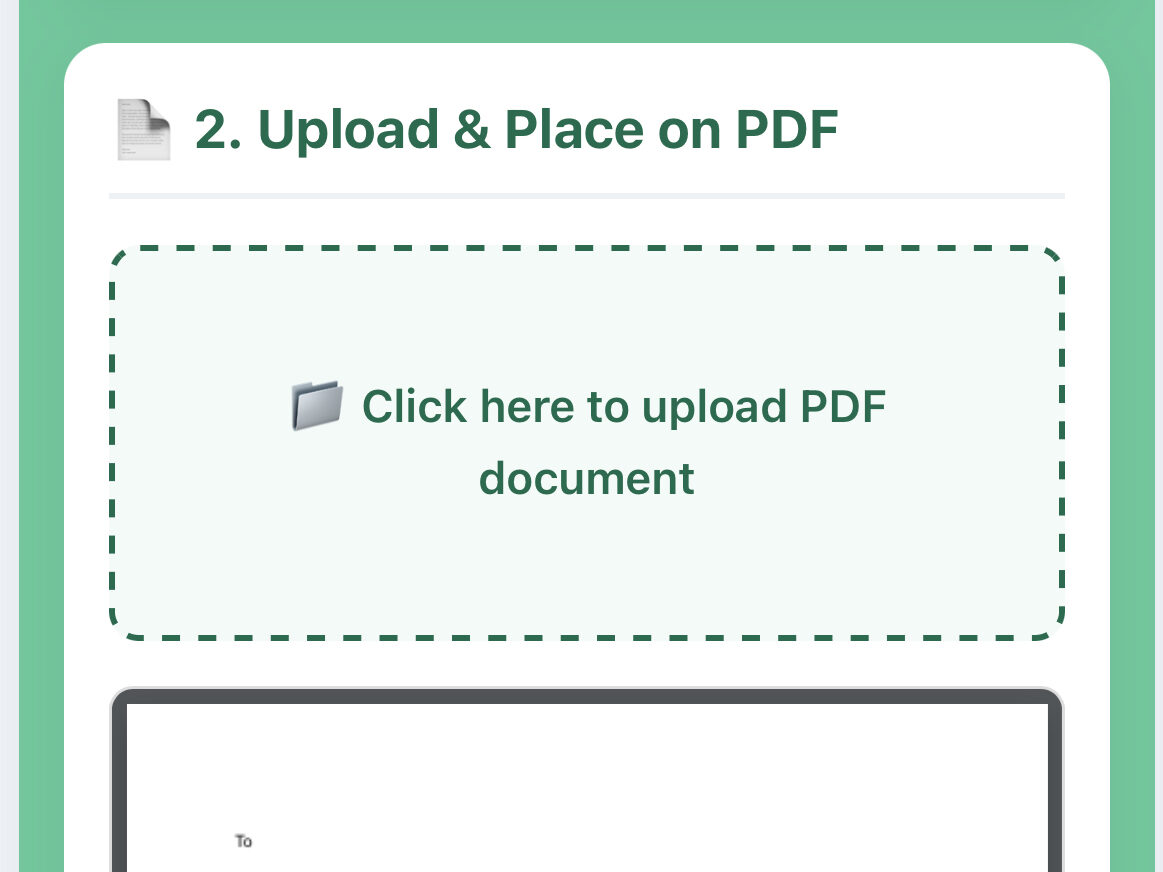
📄 2. Upload & Place on PDF
Ready. Draw your signature and upload a file.
Sign PDF online quickly and securely with our free PDF signing tool. Upload your document, add your digital signature, and download the signed PDF instantly. No installation required. Fast, simple, and perfect for contracts, forms, and official documents.
Ultimate Guide to Signing PDF Documents Online: Fast, Secure, and Legally Binding
In today’s fast-paced digital world, paper-based workflows are rapidly becoming obsolete. Printing a document, signing it with a traditional pen, scanning it back onto your computer, and emailing it is no longer an efficient practice. It wastes hours, drains company resources, and slows down crucial business deals.
Using an online tool like the ProKitBag Draw & Sign PDF Tool provides a seamless, modern alternative. Whether you are dealing with a business contract, a freelance agreement, a lease form, or a simple official document, an online electronic signature tool allows you to sign and execute files safely from any device, anywhere in the world.
This comprehensive guide explores everything you need to know about signing PDFs online—including step-by-step instructions, legal frameworks across different countries, comparisons with traditional methods, and industry-specific use cases.
🛠️ How to Use the ProKitBag Draw & Sign PDF Tool
Executing a digital signature online should be straightforward. The advanced, responsive layout of the tool splits your workflow into two simple panels: creation and live execution.
Step 1: Create Your Signature
On the left side of the panel, you will see a high-definition digital canvas designed to capture authentic pen strokes.
- Choose Your Color: Select your preferred ink color (such as classic corporate Black, professional Blue, or distinctive Red) from the color picker.
- Adjust Thickness: Use the slider to modify line thickness so the signature resembles your real handwriting.
- Draw Your Signature: Use your mouse cursor on a desktop computer, or draw directly with your finger or a stylus if you are using a smartphone or tablet screen.
- Lock the Signature: Click “Lock & Use Signature” to save your drawing as a high-resolution, transparent layout overlay. If you make a mistake, simply click “Clear” to reset the canvas and start over.
Step 2: Upload Your PDF Document in Sign PDF
On the right panel, look for the designated file upload sector.
- Click inside the dashed area marked “Click here to upload PDF document”.
- Select the target PDF document from your local hard drive or mobile storage.
- The system uses an embedded rendering engine to display a crisp, interactive white canvas preview of your document’s first page directly inside the control box.
Step 3: Drag, Drop, and Place Globally
Once both the signature and the document are ready, a floating boundary box containing your signature will appear over the PDF layout preview.
- Interactive Placement: Left-click and hold (or touch and hold on mobile) the signature box.
- Exact Boundary Controls: Drag the box anywhere across the rendered page. The alignment boundaries ensure the signature stays constrained within the edges of the document.
- Release to Position: Drop the signature box exactly over the target line or formal execution area where your signature belongs.
Step 4: Apply, Compile, and Download Sign PDF
Once processing is complete, click “Download Signed PDF Document” to save the legally ready file back to your device.
Click the prominent “Apply Signature & Save” action button.
The system processes the file locally by converting your canvas tracking paths into embedded image data and aligning them precisely with the coordinates of the underlying PDF.
📊 Comparison: Online Signing vs. Traditional Signing Methods
Many organizations still rely on legacy physical paperwork out of habit. The table below compares online PDF signing tools with traditional paper-based methods across critical performance metrics:
| Performance Metric | Traditional Paper Workflow (Print, Sign, Scan) | Online PDF Signing Tool |
| Turnaround Time | Hours to days (depends on physical proximity and hardware access). | Less than 2 minutes from upload to final save. |
| Financial Cost | High (involves paper sheets, toner ink cartridges, postage shipping, and maintenance). | Free to nominal software costs; zero physical supplies needed. |
| Mobility & Remote Access | Requires desktop printers, specialized flatbed scanners, and physical presence. | Fully cloud-ready; works on smartphones, tablets, laptops, and desktops. |
| Document Security | Vulnerable to physical theft, misplacement, fire damage, or unauthorized alterations. | Processed via secure local environments with unalterable data streams. |
| Environmental Impact | Heavy paper consumption and carbon footprint from shipping transport. | Eco-friendly and 100% paperless green alternative. |
| Precision & Scaling | Prone to blurry scans, skewed alignment, or illegible low-contrast ink marks. |
🎯 Target Beneficiaries: Who Needs an Online PDF Signer?
Digital signatures are versatile assets that add value across various professions and industries.
                    ┌────────────────────────────────────────┐
                    │       Digital PDF Signer Platform      │
                    └───────────────────┬────────────────────┘
                                        │
         ┌──────────────────────────────┼──────────────────────────────┐
         ▼                              ▼                              ▼
┌─────────────────┐            ┌─────────────────┐            ┌─────────────────┐
│   Freelancers   │            │   Real Estate   │            │  HR Departments │
│  & Contractors  │            │     & Agents    │            │   & Managers    │
├─────────────────┤            ├─────────────────┤            ├─────────────────┤
│ • NDA Signatures│            │ • Lease Forms   │            │ • Onboarding    │
│ • Scope of Work │            │ • Closing Deals │            │ • Offer Letters │
└─────────────────┘            └─────────────────┘            └─────────────────┘
Freelancers, Remote Workers, and Independent Contractors
Freelancers frequently sign Non-Disclosure Agreements (NDAs), project scope proposals, and monthly milestone invoices for clients located worldwide. A responsive web tool allows them to quickly process these administrative documents, so they can focus on billable project work.
Real Estate Agents and Property Managers
The real estate sector relies heavily on documentation, from initial brokerage agreements to monthly residential lease extensions and final property closing deeds. Real estate agents use digital signature tools to close transactions quickly, eliminating the need for clients to drive across town just to sign a single page.
Human Resources Departments and Corporate Managers
HR personnel handle high volumes of paperwork daily, including candidate offer letters, corporate policy updates, annual performance reviews, and direct deposit authorization forms. Digital workflows allow new hires to complete their onboarding packets remotely before their first day on the job.
Legal and Financial Advisors
Accountants, tax advisors, and legal specialists manage sensitive document flows that require reliable signature collection. Using client-side canvas engines allows advisors to gather necessary approvals quickly while maintaining the integrity of the original documents.
Your security is our top priority
Sign PDF Files Online with ProKitBag
Add your e-signature to any PDF instantly—fast, secure, and completely hassle-free.
SoftwareApplication Schema Markup
{ “@context”: “https://schema.org”, “@type”: “SoftwareApplication”, “name”: “ProKitBag Draw & Sign PDF Tool”, “operatingSystem”: “All (Windows, macOS, iOS, Android, Linux)”, “applicationCategory”: “BusinessApplication”, “offers”: { “@type”: “Offer”, “price”: “0.00”, “priceCurrency”: “USD” }, “features”: [ “High-definition signature drawing canvas”, “Adjustable pen width options”, “Dynamic drag and drop signature placement”, “Real-time client-side responsive rendering”, “Secure local browser-based compilation” ], “browserRequirements”: “Requires HTML5 compatible web browser with JavaScript enabled.” }❓ Frequently Asked Questions (FAQs)
Can I safely sign confidential or sensitive financial documents?
Yes. The tool processes actions directly within your local browser sandbox, meaning your document text fields, images, and signature vectors are compiled locally on your device rather than being stored on a third-party server.
Is it legal to sign a PDF document online?
Yes. In most countries, including the United States, Canada, the United Kingdom, the European Union, and India, electronic signatures are legally binding and admissible in court, provided both parties agree to conduct business electronically.
Will my signature look exactly like my real pen-and-ink handwriting?
Yes. Advanced signature applications feature responsive, high-definition canvases with smooth vector line options. Adjusting the brush thickness and color allows you to create a clear representation of your physical signature.
Can I sign a PDF using my mobile phone or tablet?
Yes, the application is fully responsive. On a mobile device, the signature canvas responds seamlessly to touch control paths, and the document viewport adjusts automatically to fit your screen size without breaking the layout.
Why did my signature end up in the wrong place on some old tools?
Older, non-responsive platforms often use static pixel coordinates to place signatures. If a document preview shifts or resizes on a smaller screen, the signature can become misaligned. Modern tools fix this issue by using relative alignment bounding rects (getBoundingClientRect()) to map the signature directly to the underlying document coordinates, ensuring it downloads exactly where you placed it.