
PDF to PowerPoint Converter
Convert your PDF slides directly into editable Microsoft PowerPoint (.pptx) presentations natively inside your browser. Fast, secure, and fully optimized.
PDF to PowerPoint Converter – 100% Free, Fast & Powerful Online Tool
PDF to PowerPoint Converter – Fast, Free & Easy Online
Need to convert a PDF into an editable PowerPoint presentation? ProKitBag’s PDF to PowerPoint Converter lets you transform static PDF documents into fully editable PPTX slides in just a few clicks. Whether you’re updating business presentations, classroom lectures, project reports, or client proposals, our tool preserves text, images, tables, and layouts for a smooth editing experience.
If you need other PDF solutions, explore our PDF Converter for multiple file formats, convert images using JPG to PDF or Images to PDF, and transform documents with PDF to Word, Word to PDF, or PDF to JPG. You can also organize files using Merge PDF and Split PDF, reduce file size with Compress PDF, make changes using Edit PDF, or securely sign documents with Sign PDF. With ProKitBag, all your essential PDF tools are available in one fast, secure, and easy-to-use platform.
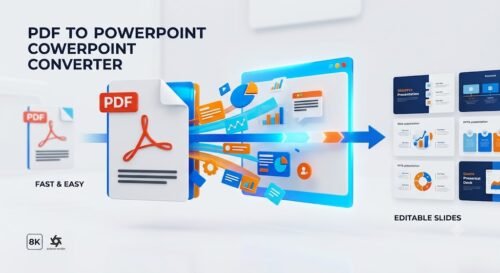
Convert PDF to PowerPoint in Seconds
Turn your PDF documents into editable PowerPoint (PPTX) presentations without wasting time recreating every slide. Our smart PDF to PowerPoint Converter preserves text, layouts, images, tables, and formatting as accurately as possible, allowing you to continue editing immediately in Microsoft PowerPoint or other compatible presentation software.
Fast PDF to PPT Conversion
Upload, Convert & Download
Converting your PDF is quick and effortless. Simply upload your file, let ProKitBag process it, and download your editable PPTX presentation within seconds. No technical skills or software installation are required.
Works on Every Device
Convert PDFs Anywhere
Whether you’re using Windows, macOS, Linux, Android, or iPhone, ProKitBag works directly in your web browser. Convert PDF files into PowerPoint presentations anytime and from any device with a stable internet connection.
More Than a PDF Converter
40+ Powerful PDF Tools
ProKitBag offers much more than PDF to PowerPoint conversion. Compress PDFs, merge documents, split files, rotate pages, convert PDFs to Word, Excel, JPG, and much more—all from one easy-to-use platform designed to boost your productivity.
Your Files Stay Private
Protected With Advanced Security
Your uploaded files are protected using secure encryption during the entire conversion process. To safeguard your privacy, all uploaded documents are automatically removed from our servers after processing, ensuring your information remains confidential.
Privacy You Can Trust
Built With Security in Mind
We prioritize your privacy at every step. Our secure processing system is designed to protect your documents from unauthorized access, allowing you to convert sensitive business, academic, or personal files with confidence.
Perfect for Professionals & Students
Present Better, Work Faster
- Need to update an old presentation, reuse charts, or edit lecture slides? ProKitBag makes it simple to convert PDF files into editable PowerPoint presentations for:
- Educational lectures
- Business presentations
- School and college projects
- Client proposals
- Sales pitches
- Training materials
- Meeting presentations
- Research reports
Why Choose ProKitBag PDF to PowerPoint Converter?
- ✔ Convert PDF to editable PPTX in seconds
- ✔ Preserves text, images, and slide layouts
- ✔ No software installation required
- ✔ Works on desktop, tablet, and mobile devices
- ✔ Fast, secure, and easy to use
- ✔ Supports high-quality presentation output
- ✔ Free online conversion with no complicated setup
- ✔ Automatic file deletion for enhanced privacy
How to Convert PDF to PowerPoint
- Open it in Microsoft PowerPoint and start editing immediately.
- Upload your PDF document.
- Click the Convert button.
- Wait a few seconds while we process your file.
- Download your editable PowerPoint (.PPTX) presentation.
Start Converting Today
Transform static PDF documents into fully editable PowerPoint presentations in just a few clicks. Whether you’re preparing a business pitch, classroom presentation, or project report, ProKitBag PDF to PowerPoint Converter helps you save time and work more efficiently.
Frequently Asked Questions (FAQs)
How do I convert a PDF to PowerPoint online?
Simply upload your PDF file, click the Convert button, and download the editable PowerPoint (PPTX) file once the conversion is complete. No software installation is required.
Is the PDF to PowerPoint Converter free to use?
Yes. ProKitBag’s PDF to PowerPoint Converter is completely free to use. You can convert your PDF files online without creating an account.
Will my PowerPoint presentation be editable?
Yes. The converted PPTX file is editable, allowing you to modify text, images, tables, and other supported elements in Microsoft PowerPoint or compatible presentation software.
Does the converter preserve the original formatting?
Our converter is designed to retain the original layout, fonts, images, and formatting as closely as possible. However, highly complex PDFs may require minor manual adjustments.
Can I convert scanned PDFs to PowerPoint?
Scanned PDFs can be converted, but if the file contains only images, OCR (Optical Character Recognition) may be needed to make the text editable.
Is my PDF file secure during conversion?
Yes. Your files are protected with secure encryption during upload and conversion. Uploaded documents are automatically deleted after processing to help protect your privacy.
Can I convert PDF to PowerPoint on my phone?
Absolutely. ProKitBag works on Android, iPhone, tablets, Windows, Mac, and Linux devices through any modern web browser.
Is there a file size limit for PDF to PPT conversion?
The maximum supported file size depends on the tool’s current limits. Smaller files usually convert faster, while larger documents may take additional processing time.
What file format will I receive after conversion?
After the conversion is complete, you’ll receive a .PPTX file that can be opened and edited in Microsoft PowerPoint, Google Slides, and other compatible applications.
What other PDF tools are available on ProKitBag?
In addition to PDF to PowerPoint, ProKitBag offers tools for PDF to Word, Word to PDF, JPG to PDF, PDF to JPG, Merge PDF, Split PDF, Compress PDF, Edit PDF, Sign PDF, and many more to help you manage documents efficiently.