PDF Intelligence Online – Analyze, Summarize & Understand PDF Files with AI
Socials
PDF Intelligence – 100% Free AI PDF Analysis Tool
Introduction to PDF Intelligence Online
In today’s digital world, PDF documents are one of the most widely used file formats for sharing reports, contracts, invoices, research papers, eBooks, resumes, and business documents. However, manually reading and extracting important information from lengthy PDFs can be time-consuming and inefficient. That’s where ProKitBag PDF Intelligence comes in.
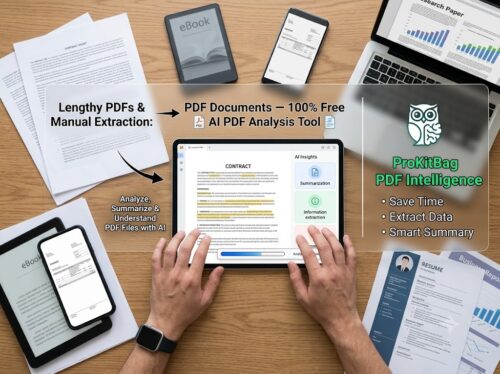
PDF Intelligence online is an AI-powered technology that helps users analyze, summarize, search, and understand PDF documents within seconds. Instead of spending hours reading hundreds of pages, simply upload your PDF and let artificial intelligence identify the most important information for you. Whether you need a quick summary, key insights, important tables, document answers, or structured data extraction, PDF Intelligence makes document analysis faster, smarter, and more accurate.
The ProKitBag PDF Intelligence Online Tool combines advanced Artificial Intelligence (AI), Natural Language Processing (NLP), and Optical Character Recognition (OCR) to understand the content inside PDF files. It supports a wide range of intelligent features, including AI-powered PDF summarization, table extraction, text analysis, keyword detection, important information extraction, OCR for scanned PDFs, and smart document insights. These capabilities help transform static PDF files into interactive, searchable, and easy-to-understand documents.
Designed for students, researchers, educators, business professionals, legal teams, accountants, and content creators, PDF Intelligence simplifies complex document workflows. Users can instantly generate summaries, extract key facts, identify tables, locate important sections, and gain meaningful insights without manually searching through hundreds of pages.
Beyond document analysis, ProKitBag offers an expanding collection of AI and productivity tools that work together to improve your workflow. You can use the AI Tone Checker to evaluate your writing style, the AI Tone Rewriter to rewrite content naturally, the Alt Text Checker to optimize image accessibility and SEO, the Backlink Extractor to discover valuable website backlinks, the Bulk URLs Analyzer to analyze multiple webpages at once, and App UI/UX Design resources for creating modern, user-friendly interfaces. Together, these tools provide a complete productivity ecosystem for students, marketers, developers, businesses, and creators.
Another major advantage of PDF Intelligence is productivity. By automating repetitive reading and information extraction tasks, users can focus on making informed decisions instead of spending valuable time searching for information. This improves efficiency, enhances accuracy, and reduces the risk of missing important details.
With ProKitBag PDF Intelligence, document analysis becomes simple, secure, and accessible. Whether you’re reviewing academic papers, preparing business reports, analyzing contracts, or extracting tables from financial documents, this AI-powered solution helps you unlock valuable insights from your PDFs in just a few clicks. Explore ProKitBag’s complete suite of intelligent tools to streamline your daily tasks, boost productivity, and work smarter with AI.
Benefits of PDF Intelligence Online
1. Save Valuable Time
Instead of reading lengthy PDF documents page by page, AI quickly identifies the most important sections and summarizes the content, helping users understand documents in minutes rather than hours.
2. Generate Smart Summaries
Long reports, research papers, and eBooks can be condensed into clear, easy-to-read summaries that highlight the most relevant information without losing context.
3. Extract Important Information
AI can identify names, dates, addresses, financial figures, product details, emails, phone numbers, keywords, and other valuable information from PDF documents with high accuracy.
4. Analyze Tables & Structured Data
Many business reports and invoices contain complex tables. PDF Intelligence can detect rows, columns, and headers, making it easier to extract structured information for further analysis.
5. Improve Productivity
Students, researchers, professionals, and businesses can complete document-related tasks much faster by reducing manual reading and data extraction.
6. Better Decision-Making
Having quick access to accurate information allows users to make informed decisions without spending excessive time searching through documents.
7. Secure Document Processing
The ProKitBag PDF Intelligence tool is designed with privacy in mind. Your documents are processed securely, helping protect sensitive information while delivering AI-powered insights.
8. Works Across Multiple Industries
Whether you’re in education, healthcare, finance, law, marketing, or human resources, PDF Intelligence can simplify document management and improve workflow efficiency.
9. Easy to Use
No technical knowledge is required. Simply upload your PDF, let the AI analyze it, and review the generated insights in seconds.
How to Use PDF Intelligence Online
Using ProKitBag PDF Intelligence is simple and requires only a few steps.
- Upload Your PDF
Select the PDF document from your computer, tablet, or smartphone. - Start AI Analysis
Click the Analyze PDF button to allow the AI engine to process the document. - Review AI Insights
Within seconds, the tool generates summaries, extracts important information, identifies key topics, and highlights relevant sections. - Search or Ask Questions
If supported, you can search for specific information or ask questions about the uploaded document to receive AI-generated answers. - Copy or Download Results
Save your summaries, extracted text, or analysis for future reference or share them with colleagues, classmates, or clients.
With just a few clicks, PDF Intelligence transforms complex documents into organized, actionable information, making document analysis faster, easier, and more efficient.
Types of PDF Intelligence Online
Explain different AI capabilities, such as:
PDF Summarization
Create short summaries of lengthy documents.
Information Extraction
Extract names, dates, numbers, emails, and key facts.
AI Question Answering
Ask questions about the uploaded PDF.
Keyword Detection
Identify important topics and frequently used terms.
OCR-Based PDF Intelligence
Analyze scanned PDFs using Optical Character Recognition.
Semantic Document Search
Find relevant information instantly using AI search.
PDF Intelligence Online for Students and Researchers
Explain how students can:
- Summarize textbooks
- Analyze research papers
- Prepare assignments
- Review lecture materials
- Save study time
Psychology students can quickly summarize journals, research papers, case studies, and clinical notes using PDF Intelligence.
This naturally covers the keyword without making it an awkward heading.
PDF Intelligence Online Notes
Explain how users can:
- Generate study notes
- Create revision notes
- Extract important points
- Highlight definitions
- Build quick summaries from PDFs
This section has practical value and supports educational search intent.
Training Artificial Intelligence with PDF
This is an excellent section because it targets AI-related searches.
Include topics like:
- How PDFs become AI training data
- Document preprocessing
- OCR
- Text extraction
- Chunking documents
- Embeddings
- Vector databases
- Retrieval-Augmented Generation (RAG)
- Fine-tuning vs Retrieval
- Privacy considerations
Mention that your tool analyzes uploaded PDFs but does not necessarily train an AI model on user documents (unless it actually does).
Who Should Use PDF Intelligence Online?
- Content Writers
- Students
- Teachers
- Researchers
- Lawyers
- HR Professionals
- Accountants
- Businesses
- Healthcare Professionals
- Government Employees
Why Choose ProKitBag PDF Intelligence Online?
- Highlight:
- 100% Free
- AI-powered analysis
- Secure processing
- Fast results
- Mobile-friendly
- No software installation
- No registration
- Easy-to-use interface
Conclusion
Summarize how PDF Intelligence makes document analysis faster, smarter, and more efficient. Encourage users to upload a PDF and experience AI-powered insights instantly.
Frequently Asked Questions (FAQ)
What is PDF Intelligence Online ?
PDF Intelligence Online is an AI-powered technology that analyzes PDF documents to extract important information, generate summaries, identify key insights, and help users understand complex files more efficiently. It uses technologies like Artificial Intelligence (AI), Natural Language Processing (NLP), and Optical Character Recognition (OCR) to process both text-based and scanned PDFs.
Is ProKitBag PDF Intelligence online free to use?
Yes. ProKitBag PDF Intelligence online is 100% free to use. You can upload your PDF documents, analyze their content, extract valuable information, and generate AI-powered insights without paying any subscription fees.
Can AI summarize long PDF documents?
Yes. PDF Intelligence can automatically summarize lengthy PDF files such as research papers, reports, eBooks, contracts, and manuals. It highlights the most important points so you can understand the document faster without reading every page.
Can PDF Intelligence extract tables and important information?
Yes. The tool can identify tables, headings, key paragraphs, names, dates, financial figures, and other structured information from PDF documents. For supported documents, extracted data can also be organized into a more readable format.
Does PDF Intelligence work with scanned PDF files?
Yes. If OCR (Optical Character Recognition) is supported, PDF Intelligence can recognize text from scanned or image-based PDF documents and analyze them just like standard text-based PDFs.
Is my PDF secure and private?
Yes. ProKitBag is designed with user privacy in mind. Uploaded PDF files are processed securely, and sensitive document information is handled responsibly. Always review the site’s privacy policy for details on file storage and retention.
Who can benefit from using PDF Intelligence?
PDF Intelligence is useful for students, teachers, researchers, business professionals, lawyers, accountants, HR teams, healthcare workers, marketers, and anyone who regularly works with PDF documents.
Can PDF Intelligence generate study notes from PDFs?
Yes. AI can identify key concepts, definitions, important points, and summaries from educational PDFs, making it easier to create revision notes and prepare for exams or presentations.
What types of PDF documents can be analyzed?
PDF Intelligence can analyze a wide variety of documents, including research papers, business reports, invoices, contracts, resumes, eBooks, manuals, presentations, legal documents, financial reports, and educational materials.
Why should I choose ProKitBag PDF Intelligence online?
ProKitBag PDF Intelligence combines AI-powered document analysis with a simple, user-friendly interface. It helps you summarize documents, extract important information, analyze tables, and gain valuable insights quickly. Along with PDF Intelligence, ProKitBag also offers many free online tools for PDF management, SEO, image editing, AI writing, and productivity—all in one place.
What is the difference between PDF Intelligence online and a PDF reader?
A standard PDF reader allows you to view and search PDF files, while PDF Intelligence uses AI to understand the document’s content. It can summarize text, answer questions, extract important information, analyze tables, and provide meaningful insights, making it much more powerful than a traditional PDF viewer.
These FAQs are written to improve user experience while naturally incorporating keywords such as PDF Intelligence, AI PDF analysis, PDF summarizer, OCR, and PDF document insights for SEO.

Proudly powered by WordPress