
Access all PDF security tools to protect sensitive documents online.
🔒 Strong Password Protection
Protect sensitive PDF documents with reliable password encryption. Only users with the correct password can open and access your files, ensuring complete confidentiality.
🛡️ Your Privacy Comes First
Your security is our priority. All uploaded files are processed over encrypted connections and are automatically removed from our servers after processing. Your passwords are never stored or shared.
💻 Works on Any Device
Access the PDF Security tool directly from your browser on Windows, macOS, Linux, Android, or iPhone. No software installation or account registration is required.
🔐 Advanced PDF Encryption
Protect your documents using modern encryption standards designed to safeguard personal, business, financial, and legal documents from unauthorized access.
🔑 Create Strong Passwords
Choose a unique password using uppercase letters, lowercase letters, numbers, and special characters. A strong password significantly improves your document’s security.
☁️ Fast Cloud-Based Protection
Upload your PDF, create a password, secure your document, and download the protected file within seconds—all directly from your web browser.
Information
All PDF Security Tools
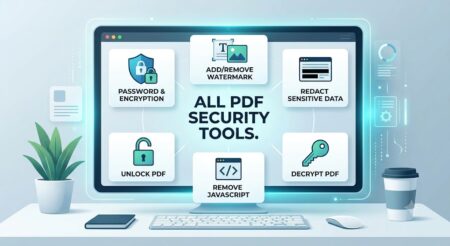
Protecting sensitive documents is just as important as creating or editing them. Our All PDF Security Tools collection gives you everything you need to keep your files safe, private, and professionally managed. Whether you want to encrypt PDF files with strong password protection, decrypt PDF documents you own, add a watermark for copyright protection, or remove a watermark from authorized files, our free online tools make the process fast and effortless. Every tool is designed with simplicity in mind, allowing you to secure your documents in just a few clicks without installing any software.
Beyond basic protection, our PDF security toolkit also helps you safeguard confidential information before sharing documents online. Use the Redact PDF tool to permanently hide sensitive text, personal details, financial information, or confidential business data. If your document contains embedded scripts, the Remove JavaScript tool helps eliminate potentially unwanted JavaScript, making your PDF safer to open and distribute. Whether you’re a student, professional, business owner, freelancer, or legal expert, these tools help ensure your documents remain secure while maintaining their original formatting and quality.
Our All PDF Security Tools work directly in your browser, making them accessible from Windows, macOS, Linux, Android, and iPhone devices. Your uploaded files are processed using secure connections and automatically deleted after processing to protect your privacy. From password protection and PDF encryption to watermark management, content redaction, and JavaScript removal, our comprehensive toolkit provides everything you need in one convenient place. Choose the right PDF security tool, upload your document, complete the task in seconds, and download a secure, high-quality PDF—completely free and without registration.
How to Password Protect a PDF
- Download your password-protected PDF instantly.
- Upload your PDF file.
- Enter a strong password.
- Confirm the password.
- Click Protect PDF.
Why Choose ProKitBag?
- Free to use
- Fast PDF encryption
- Secure cloud processing
- No software installation
- Supports all modern browsers
- Works on desktop and mobile
- Simple and user-friendly interface
- High-quality document protection
Best Uses
- Confidential reports
- Business contracts
- Financial documents
- Medical records
- Legal agreements
- Personal documents
- HR files
- Educational certificates
Tips for Better PDF Security
- Never share passwords through unsecured channels.
- Use passwords with at least 12 characters.
- Include uppercase and lowercase letters.
- Add numbers and special symbols.
- Avoid names, birthdays, or common words.
- Store your password securely.
Complete Control Over Document Access and Permissions
True document protection goes beyond just setting a password; it is about managing what happens after a file is opened. With our all PDF security tools, you gain granular control over user rights and permissions. You can easily restrict users from printing your file, copying text, or making modifications to the document. This feature is highly essential for legal professionals, authors, and corporate teams who need to share proprietary data but want to maintain complete authority over how the content is handled.
Safeguarding Intellectual Property with Branding Tools
When sharing digital assets online, protecting your intellectual property is a top priority. Our comprehensive suite of all PDF security tools includes advanced watermarking features designed to prevent unauthorized distribution and copyright infringement. By using the Add Watermark option, creators can seamlessly overlay brand logos, official stamps, or dynamic text across pages. Conversely, if you have authorized documents that need a clean layout for presentation, the Remove Watermark feature helps you restore the file instantly without losing the original formatting.
Deep Data Redaction and Malicious Code Cleaning
For highly confidential workflows involving financial records or government IDs, surface-level security is never enough. Included within all PDF security tools is a permanent Redact PDF feature that allows you to permanently black-out or remove sensitive personal information before external distribution. Furthermore, the Remove JavaScript tool scans your documents to strip away hidden automated scripts or malicious macros. This ensures that the files you send out are not only safe from data leaks but also safe for the recipient’s system to open.
Seamless Integration into Daily Workflows
Whether you are an independent freelancer managing client invoices or an enterprise handling large-scale legal contracts, having a reliable toolkit makes a massive difference. Because all PDF security tools are hosted entirely in the cloud, they don’t consume your device’s local memory or slow down your system performance. The interface is optimized to handle quick, single-file updates or routine security checkups on the fly, eliminating the need for expensive premium software subscriptions or complex desktop setups.
Conclusion: All-in-One Document Defense
Achieving high-level data compliance and personal privacy doesn’t have to be complicated or expensive. By bringing together password encryption, permission controls, precise redaction, and script removal, our platform provides everything you need in one centralized hub. Using all PDF security tools ensures that your workflows remain swift, your data remains completely private, and your sensitive files are fully protected against modern digital threats.
Frequently Asked Questions (FAQs)
Is my PDF file secure?
Yes. Your files are transmitted securely and automatically deleted after processing.
Can I protect large PDF files?
Yes. Our tool supports both small and large PDF documents.
Will the document quality change?
No. Password protection does not affect your document’s formatting or quality.
Can I use this tool on my mobile phone?
Yes. It works on Android, iPhone, tablets, and desktop browsers.
Do I need to install any software?
No. Everything works directly in your web browser.
Can I edit a password-protected PDF later?
Yes. Simply unlock the PDF using the correct password before editing.
Is this tool free?
Yes. You can password-protect your PDF files online for free.