

How to Split a 50-Page PDF in Seconds (Without Paying for Premium Software)
Need to share a few pages from a big PDF? Sending the whole file is often slow and unnecessary. Extracting just the pages you need makes sharing faster, easier, cleaner and no sign-up required.
Fortunately, you don’t need expensive software like Adobe Acrobat Pro to complete this task. Today, you can split a 50-page PDF in just a few seconds using a free PDF splitter that works directly in your browser. No downloads, complicated installations, or technical skills are required.
In this complete guide, you’ll learn the fastest ways to split PDF online, extract selected pages, divide large PDF files by page range, and avoid common mistakes that can reduce document quality. We’ll also introduce other helpful PDF tools such as Merge PDF, Compress PDF, Edit PDF, Sign PDF, PDF to Word, Word to PDF, PDF to JPG, and JPG to PDF to streamline your entire document workflow.
Whether you’re a student, professional, freelancer, or business owner, this guide will help you manage PDF documents faster, easier, and completely free.
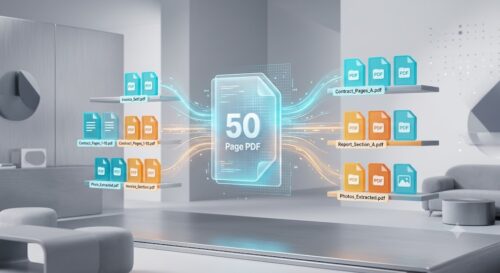
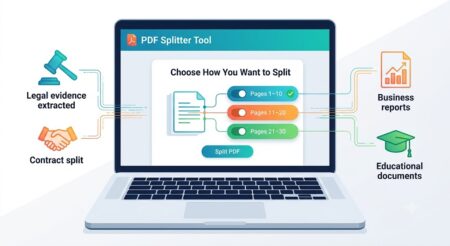
Why You May Need to Split a 50-Page PDF
Large PDF documents are useful for storing information, but they’re not always practical to share or upload. Many online platforms impose file size restrictions, while others require only selected pages instead of the complete document. That’s where a free PDF splitter becomes an essential tool.
Submit Documents to Government Portals
Government websites often request only a specific section of a document. For example, you may need to upload only your identity proof, educational certificates, or financial statements rather than the complete scanned file. Splitting your PDF ensures you submit exactly what is required while staying within upload limits.
Apply for Jobs Faster
Job applications frequently require separate uploads for resumes, certificates, experience letters, and identity documents. Instead of creating multiple files manually, you can simply split PDF by page range and upload only the necessary pages.
For example:
- Resume (Pages 1–2)
- Certificates (Pages 3–12)
- Experience Letters (Pages 13–18)
This saves time and keeps your application organized.
Share Only Relevant Information
Imagine you’ve scanned a 50-page legal agreement, but your client only needs pages 21–28. Sending the entire document wastes bandwidth and exposes unnecessary information.
By using an online PDF splitter, you can extract only the required pages and protect confidential content.
Reduce Email Attachment Size
Most email providers have attachment size limits. Rather than compressing a document until it loses quality, splitting it into smaller sections is often a better solution.
After separating your document, you can further reduce the file size using our Compress PDF tool before sending it.
Organize Business Documents
Businesses regularly handle invoices, contracts, reports, proposals, employee records, and financial statements.
Instead of storing one massive PDF, dividing it into smaller files makes searching, sharing, and archiving much easier.
Examples include:
- Monthly reports
- Client contracts
- Employee files
- Tax documents
- Audit reports
Improve Collaboration
Working in teams often requires sending only the relevant pages to different people.
For example:
- HR receives employee forms.
- Finance receives invoices.
- Legal receives agreements.
- Marketing receives presentations.
Rather than sending everyone a 50-page file, you can create multiple PDFs within seconds.
Students and Teachers
Educational PDFs are usually lengthy.
Students frequently need to:
- Extract assignment pages
- Submit specific chapters
- Separate lecture notes
- Share study material
Teachers often divide answer sheets, question papers, or course material into smaller PDFs for easier distribution.
Legal Professionals
Law firms and legal departments regularly work with extremely large PDF documents.
Instead of sending hundreds of pages, attorneys often extract:
- Evidence
- Affidavits
- Court orders
- Witness statements
- Contracts
Splitting PDFs helps maintain organization while protecting sensitive information.
Healthcare Professionals
Hospitals and clinics generate extensive patient records.
Doctors may only need:
- Test reports
- Prescriptions
- Medical history
- Laboratory results
Separating these into individual PDFs improves accessibility while reducing unnecessary data sharing.
Freelancers and Agencies
Creative professionals often send project documents in PDF format.
Examples include:
- Design proposals
- Client contracts
- Marketing reports
- SEO audits
- Brand guidelines
Rather than sending everything at once, they can extract only the requested pages and deliver them professionally.
Benefits of Splitting Large PDF Files
Using an online PDF splitter offers several advantages beyond convenience.
| Benefit | Why It Matters |
|---|---|
| Faster uploads | Smaller files upload quickly. |
| Easier sharing | Send only relevant pages. |
| Better organization | Keep documents categorized. |
| Improved privacy | Hide unnecessary information. |
| Reduced storage | Store smaller files efficiently. |
| Professional workflow | Clients receive only what they need. |
| Saves time | Split PDFs in seconds instead of recreating documents. |
Who Should Use a Free PDF Splitter?
A Split PDF tool is useful for almost everyone, including:
- Students
- Teachers
- Government employees
- HR professionals
- Accountants
- Lawyers
- Healthcare workers
- Business owners
- Freelancers
- Designers
- Real estate agents
- Researchers
- Consultants
- Banking professionals
If you work with PDF documents regularly, learning how to split a 50-page PDF can save hours every month.
Can You Split a PDF Without Adobe?
Absolutely.
Many people believe Adobe Acrobat Pro is the only solution, but modern browser-based tools provide the same essential functionality for everyday users.
A reliable Split PDF tool lets you:
- Split PDF online
- Split PDF free
- Extract pages from PDF
- Split PDF by page range
- Download instantly
- Use any device
- Avoid software installation
The best part is that everything happens in your browser, making the process quick, secure, and accessible whether you’re using Windows, macOS, Android, iPhone, or Linux.
Best Ways to Split a Large PDF
There are several ways to split a large PDF file, but not every method offers the same balance of speed, cost, convenience, and security. Some solutions require expensive software, while others allow you to split PDF online in just a few clicks. Let’s compare the most popular options.
1. Use a Free Online PDF Splitter (Recommended)
The easiest and fastest method is to use an online PDF splitter like ProKitBag Split PDF. Since it runs entirely in your browser, there’s no need to install software or create an account.
Benefits
- Split a 50-page PDF in seconds
- No software installation
- Works on Windows, macOS, Linux, Android, and iPhone
- Free to use
- Supports page range selection
- Maintains original document quality
- Beginner-friendly interface
This is the best option for students, professionals, freelancers, businesses, and anyone who wants to split PDF free without technical knowledge.
2. Adobe Acrobat Pro
Adobe Acrobat Pro is a powerful desktop application that includes advanced PDF editing features. While it offers excellent functionality, it comes with a monthly subscription, making it unnecessary for users who only need basic PDF tasks.
Pros
- Advanced editing features
- Professional workflow
- Supports large files
- Extensive document management tools
Cons
Not ideal for occasional users
Paid subscription
Software installation required
More complex than online tools
3. Desktop PDF Software
Many third-party PDF applications allow you to split documents offline. These programs can be useful when working without an internet connection, but they usually require installation and regular updates.
They may also consume significant storage space and system resources.
4. Browser-Based PDF Tools
Modern browser-based tools have become the preferred choice because they combine convenience with speed.
Instead of downloading software, you simply:
- Upload your PDF
- Choose the pages
- Click Split
- Download your new PDF
The entire process usually takes less than a minute.
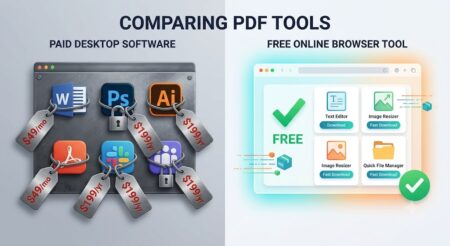
Comparison Table: Which PDF Splitting Method Is Best?
| Feature | ProKitBag Split PDF | Adobe Acrobat Pro | Desktop Software |
|---|---|---|---|
| Free to Use | ✅ Yes | ❌ No | ⚠️ Usually Paid |
| No Installation | ✅ | ❌ | ❌ |
| Works on Mobile | ✅ | Limited | ❌ |
| Browser-Based | ✅ | ❌ | ❌ |
| Split by Page Range | ✅ | ✅ | ✅ |
| Fast Processing | ✅ | ✅ | ✅ |
| Beginner Friendly | ⭐⭐⭐⭐⭐ | ⭐⭐⭐ | ⭐⭐⭐ |
| Subscription Required | ❌ | ✅ | Usually |
For most users, an online PDF splitter offers the best combination of simplicity, speed, and affordability.
How to Split a 50-Page PDF in Seconds (Step-by-Step Guide)
If you’ve never used a PDF splitter before, don’t worry. The process is straightforward and takes only a few moments.
Step 1: Open the Split PDF Tool
Visit the Split PDF page on ProKitBag using any modern web browser.
Since the tool is browser-based, you don’t need to install anything.
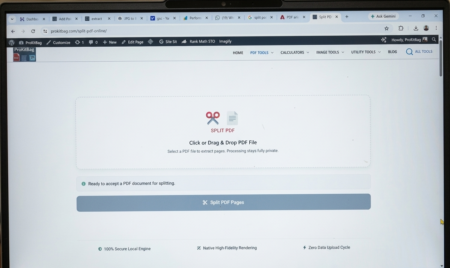
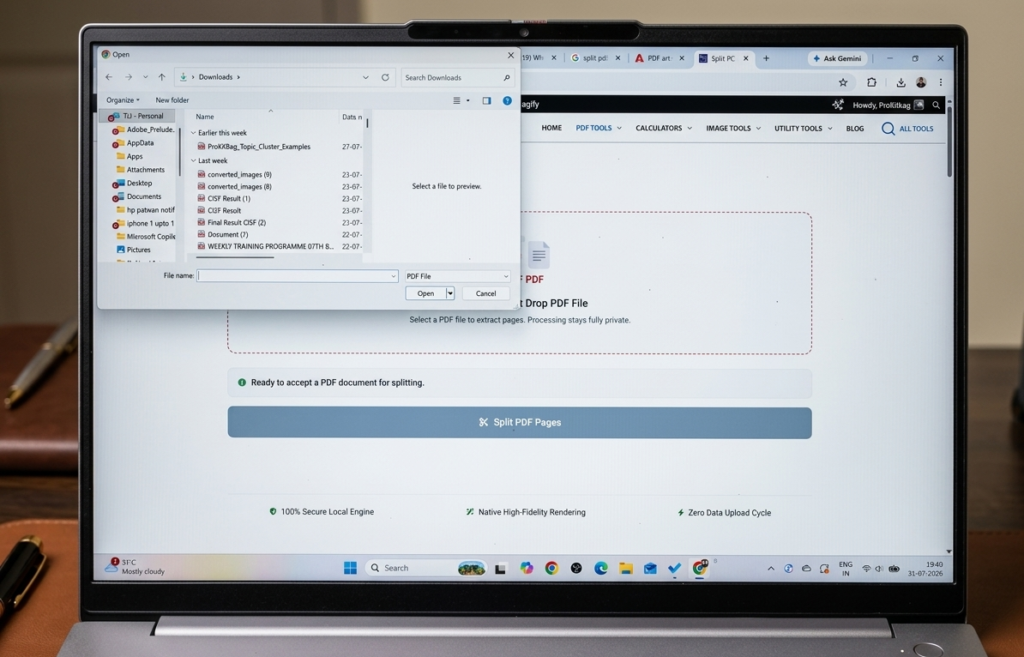
Step 2: Upload Your PDF File
Click the Upload PDF button and select your document from your device.
You can upload:
- Reports
- Contracts
- eBooks
- Assignments
- Bank statements
- Scanned documents
- Business files
Large PDFs with dozens or even hundreds of pages are supported.
Step 3: Choose How You Want to Split
Depending on your requirements, you can:
Split by Page Range
Example:
- Pages 1–10
- Pages 11–20
- Pages 21–30
This is ideal for dividing large documents into equal sections.
Extract Specific Pages
Need only pages:
- 5
- 12
- 18
- 26
- 49
Simply select those pages and create a new PDF instantly.
This option is perfect when you need to extract pages from PDF without modifying the original document.
Separate Every Page
Some users prefer every page as an individual PDF.
This is useful for:
- Scanned documents
- Legal paperwork
- Image-based PDFs
- Archiving
- Digital record keeping
Step 4: Click “Split PDF”
After selecting your preferred method, click the Split PDF button.
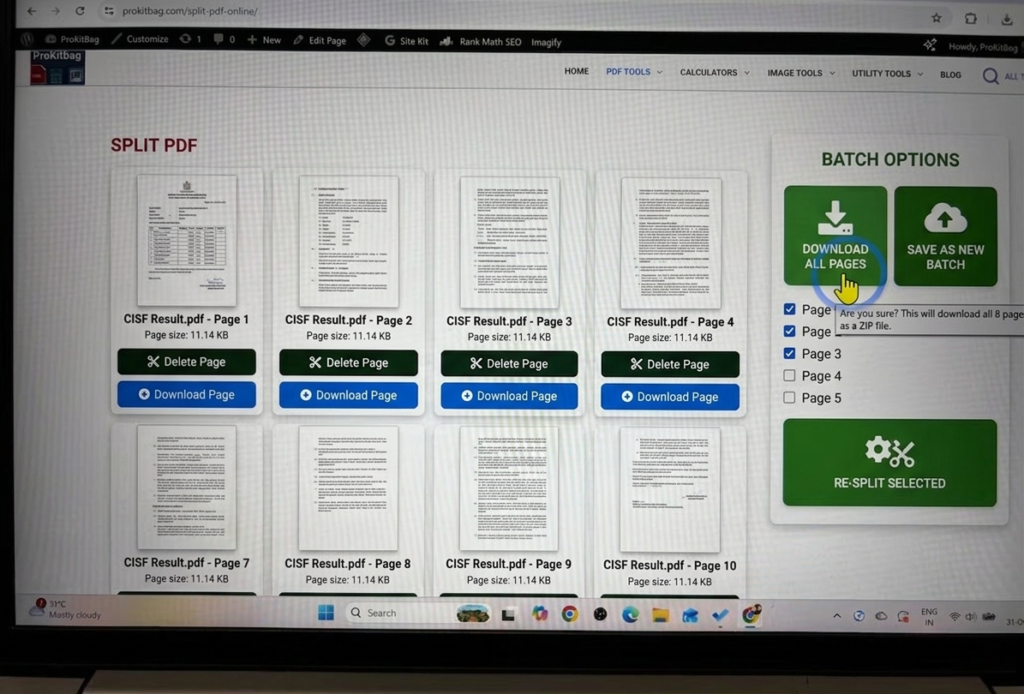
The tool processes your document within seconds while preserving:
- Original formatting
- Fonts
- Images
- Hyperlinks
- Layout
- Print quality
No quality loss occurs during the splitting process.
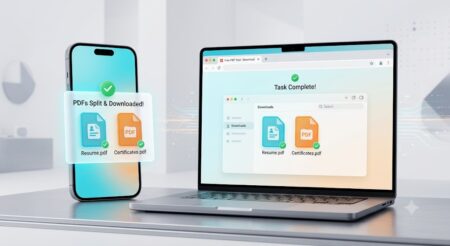
Step 5: Download Your New PDF
Once processing is complete, download the newly created PDF files to your device.
You can immediately:
- Email them
- Upload them
- Share them
- Print them
- Store them securely
The original document remains unchanged.
Example Workflow
Let’s say you have a 50-page employee onboarding document.
Instead of sending the entire file, you create separate PDFs:
| Section | Pages |
|---|---|
| Company Policies | 1–12 |
| HR Forms | 13–22 |
| Payroll Information | 23–31 |
| Benefits Guide | 32–40 |
| Training Material | 41–50 |
Each department receives only the information they need, making communication more efficient and secure.
Why Use ProKitBag Split PDF?
Our goal is to make PDF management simple for everyone. The Split PDF tool is designed with speed, usability, and privacy in mind.
Key Features
- 100% Free
- No registration required
- Fast browser-based processing
- Mobile-friendly
- High-quality output
- Secure file handling
- Easy page selection
- Works on all major operating systems
Whether you’re splitting a 10-page report or a 500-page document, the process remains fast and hassle-free.
Frequently Asked Questions (FAQs)
Is it safe to split sensitive or confidential PDFs online?
Yes. Reputable browser-based tools process files through encrypted SSL connections and automatically delete uploaded documents from their servers after processing to keep your data private and secure.
Can I split a 50-page PDF on my smartphone?
Absolutely. Since online PDF splitters run entirely inside your web browser, you can split and extract pages using any iPhone, iPad, or Android device without installing an app.
Does splitting a PDF reduce its visual or print quality?
No. Splitting a PDF only divides the document layout—all original text, images, fonts, formatting, and high-resolution elements remain intact with zero loss in quality.
How do I extract specific, non-consecutive pages from a large PDF?
You can select the “Extract Pages” option in the splitter tool and manually type out or select the exact page numbers you need (e.g., pages 5, 12, and 28) to create a brand-new, customized PDF file.
Do I need to create an account or pay to split large PDF files?
No. You can split a 50-page PDF completely free without creating an account, registering an email, or subscribing to paid software like Adobe Acrobat Pro.
Will splitting a PDF affect its bookmarks or hyperlinked table of contents?
Most online PDF splitters retain the original internal hyperlinks and visual formatting within the extracted pages. However, broad table-of-contents links pointing to pages outside your selected range may become inactive in the newly created file.
What is the difference between splitting and compressing a PDF?
Splitting divides a multi-page document into separate smaller files or extracts specific page ranges.
Compressing reduces the total file size (megabytes) of a PDF by optimizing image quality and removing redundant data, without deleting any pages.
Can I merge split PDF pages back together later?
Yes. If you extract specific pages and later decide to recombine them—or merge them with pages from another document—you can use a Merge PDF tool to combine multiple PDF files into a single file in seconds.
Can I split a password-protected or encrypted PDF?
To split a password-protected PDF, you will first need to unlock it by entering the correct password. Once unlocked, you can upload it to the online PDF splitter and divide or extract pages as normal.
How many pages can I split at once using an online PDF splitter?
There is typically no strict limit on the number of pages. You can easily split a 50-page document, or even documents with hundreds of pages, into custom sections, individual pages, or specific ranges in one single action.
Split PDF 2026 Guide
How to Split a 50-Page PDF in Seconds (Without Paying for Premium Software) Need to share a few pages from…
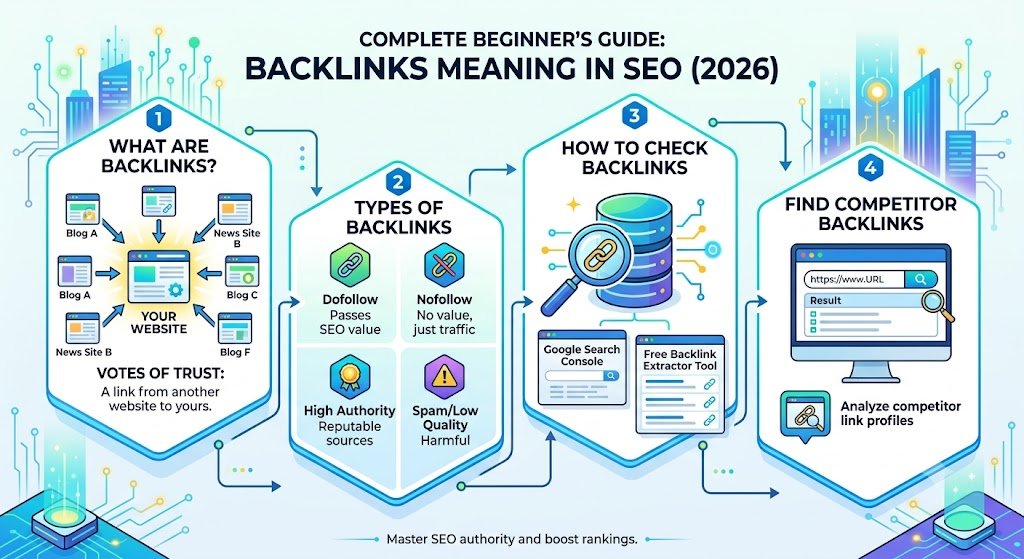
Backlinks Meaning in SEO (Complete Beginner’s Guide 2026)
Introduction Backlinks are one of the most important ranking factors in SEO. If you want your website to rank higher…
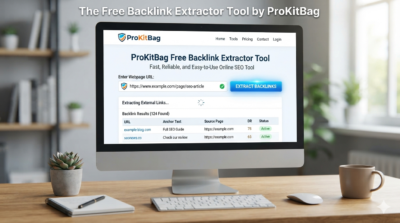
Backlink Extractor Tool (Free) – Extract & Export External Links Instantly | ProKitBag
Introduction The Free Backlink Extractor Tool by ProKitBag is a fast, reliable, and easy-to-use online SEO tool designed to help…
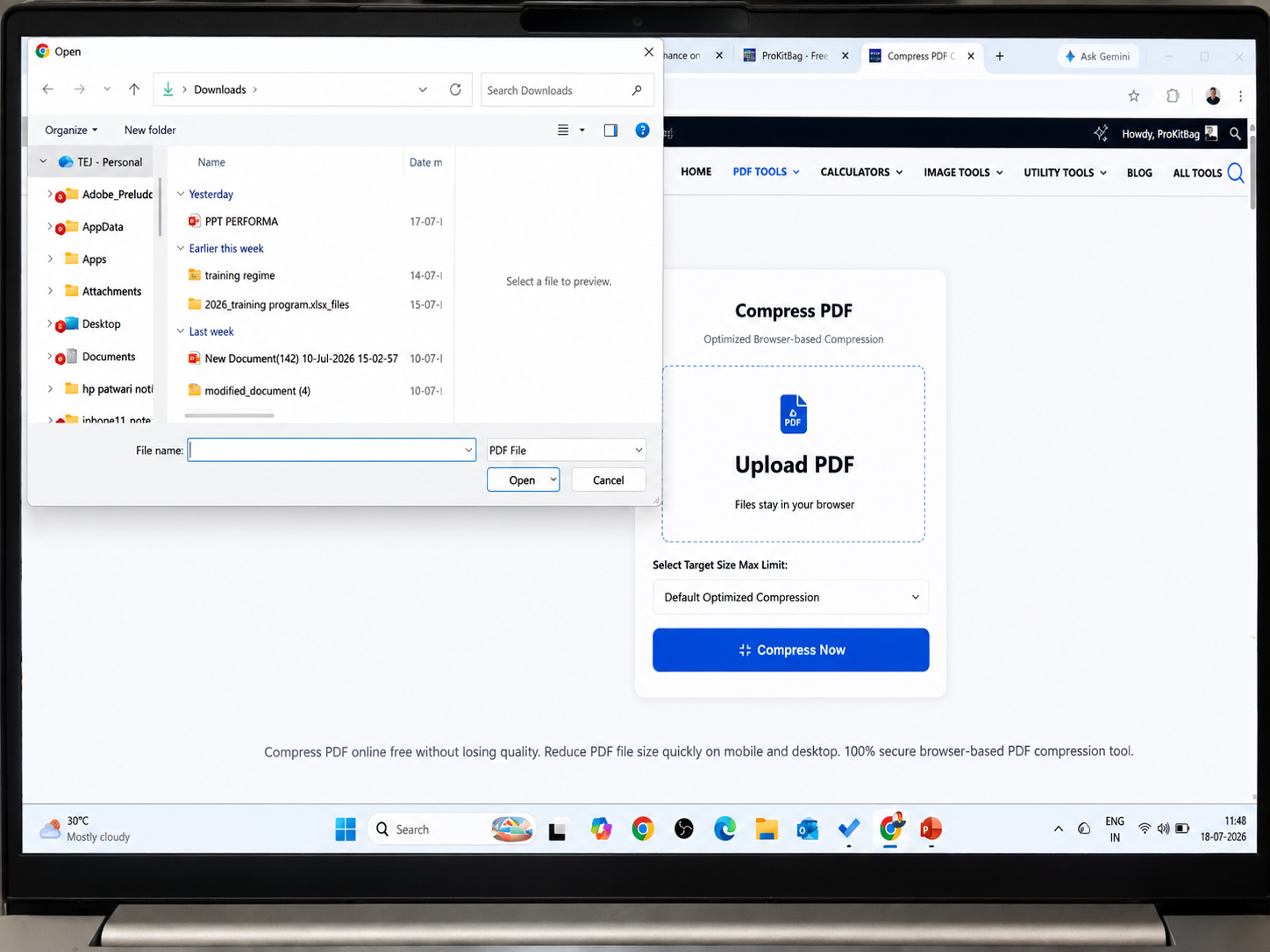
Reduce PDF Size to 2 MB Online
Introduction Many websites require uploaded PDF documents to be 2 MB or smaller. This is common for government applications, university…
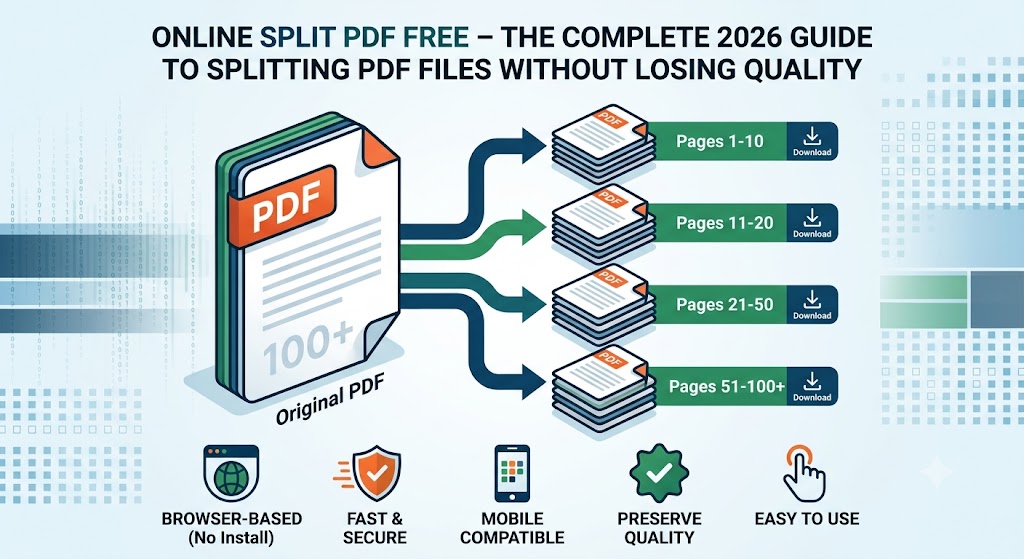
Online Split PDF Free – Best PDF Splitter Without Losing Quality (2026 Guide)
Online Split PDF Free – The Complete 2026 Guide to Splitting PDF Files Without Losing Quality Online Split PDF Free…
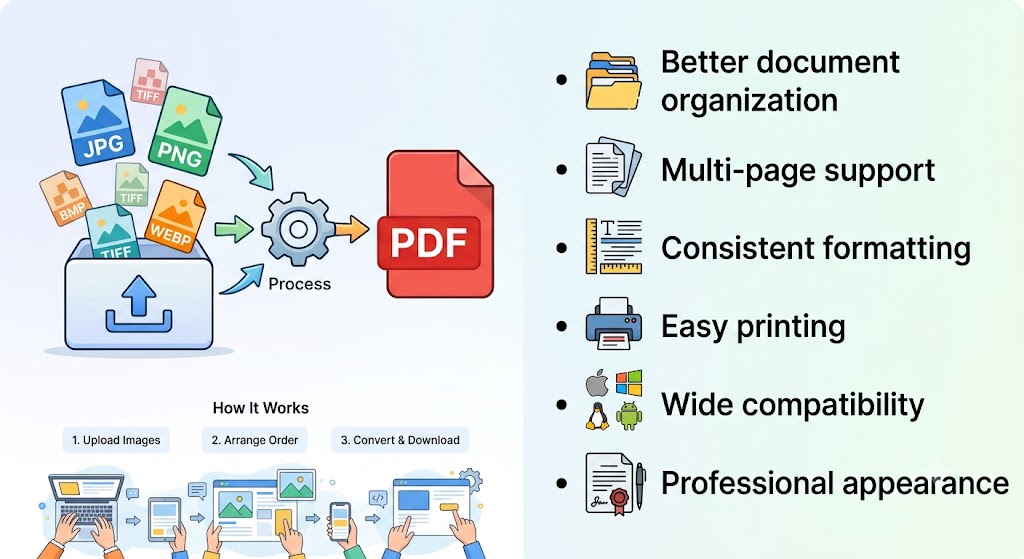
How to Convert Images to PDF Under 2 MB (Free Online Guide 2026)
Introduction Many online application portals require documents to be uploaded as PDF files with a maximum size of 2 MB.…
- Split PDF 2026 Guide
- Backlinks Meaning in SEO (Complete Beginner’s Guide 2026)
- Backlink Extractor Tool (Free) – Extract & Export External Links Instantly | ProKitBag
- Reduce PDF Size to 2 MB Online
- Online Split PDF Free – Best PDF Splitter Without Losing Quality (2026 Guide)
| M | T | W | T | F | S | S |
|---|---|---|---|---|---|---|
| 1 | 2 | 3 | 4 | 5 | 6 | |
| 7 | 8 | 9 | 10 | 11 | 12 | 13 |
| 14 | 15 | 16 | 17 | 18 | 19 | 20 |
| 21 | 22 | 23 | 24 | 25 | 26 | 27 |
| 28 | 29 | 30 | ||||
backlink extractor compress pdf compress pdf online convert image to pdf extract pdf pages free pdf merger free pdf splitter free pdf tools i love prokitbag image to pdf jpg to pdf jpg to pdf 2mb jpg to pdf converter merge 50 pdf files online pdf converter pdf splitter free prokitbag reduce pdf size secure pdf tools split large pdf split pdf online Word to PDF Converter
