Merge PDF Free Download
Managing digital documents has become part of everyday life. Whether you are a student submitting assignments, an office worker organizing reports, a freelancer sending client proposals, or a government employee handling paperwork, PDF files are everywhere.
One common problem users face is handling multiple PDF documents separately. Sending several files can look unprofessional, create confusion, and waste time. That is why users search for a reliable solution to merge PDF online free without downloading heavy software.
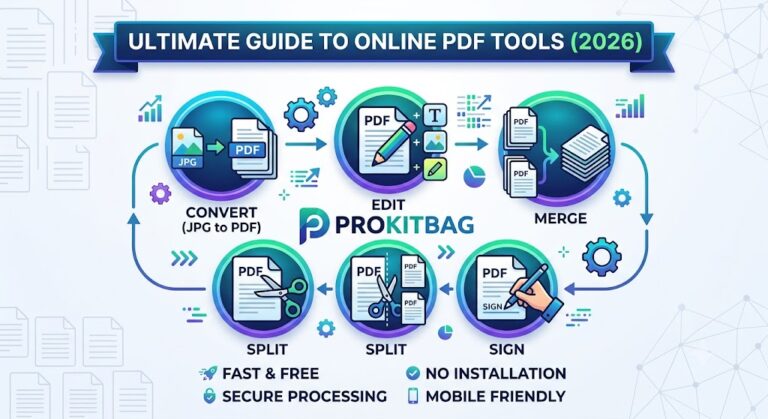
The good news is that modern browser-based utilities like the PDF merger tool on ProKitBag make the process simple, fast, and secure.
With just a few clicks, you can:
- Combine multiple PDF files
- Organize pages easily
- Download merged PDF instantly
- Work from mobile or desktop
- Avoid complicated software installations
If you are looking for a free PDF merger tool that is beginner-friendly, mobile-compatible, and optimized for productivity, this guide will help you understand everything about online PDF merging.
What Is a PDF Merger Tool?
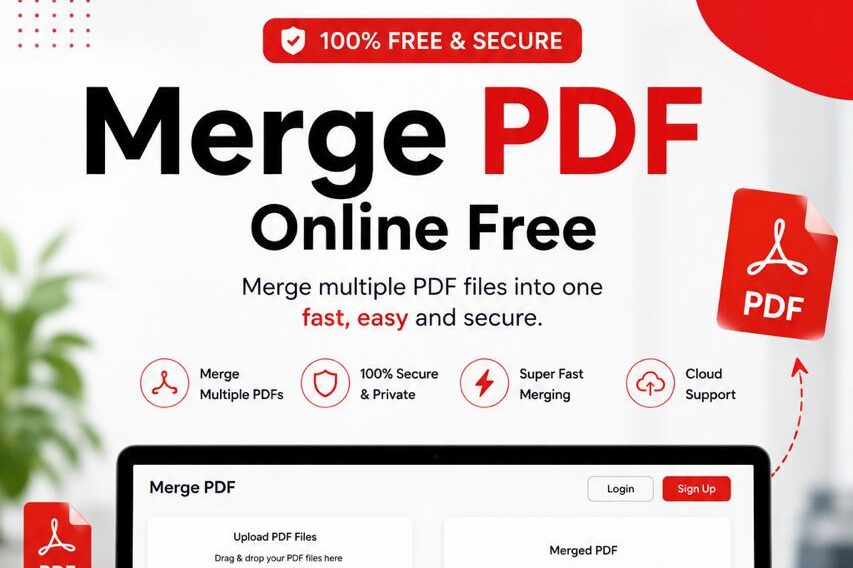
A PDF merger tool is an online utility that combines two or more PDF files into a single document.
It helps users organize digital documents efficiently without needing advanced technical skills.
Simple Definition
A PDF merger allows users to upload multiple PDF files, arrange them in the desired order, and create one combined PDF document.
Purpose of a PDF Merge Tool
The main goal is to simplify document management by reducing multiple files into one organized PDF.
Common Use Cases
People use PDF merge tools for:
- School assignments
- Resume and certificates
- Office reports
- Government documentation
- Business presentations
- Legal paperwork
- Digital archiving
How It Works
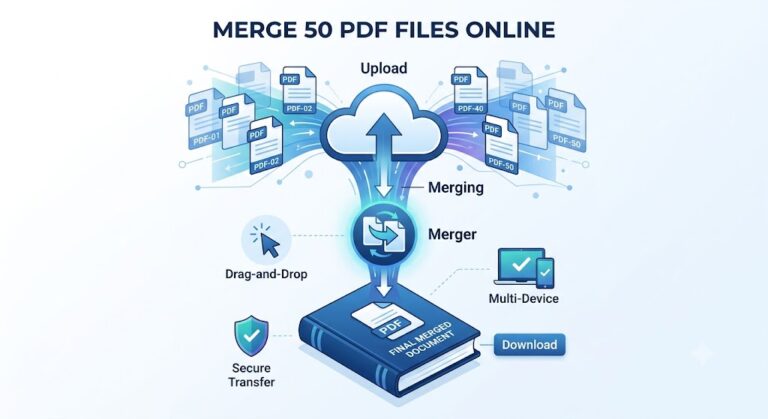
Most modern online PDF utilities follow a simple workflow:
- Upload PDF files
- Arrange file order
- Click merge
- Process files online
- Download merged PDF
This process usually takes only a few seconds.
Why Users Need to Merge PDF Files
Digital productivity depends heavily on organized files. Merging PDFs saves time and creates a professional workflow.
1. Student Assignments
Students often need to combine:
- Cover pages
- Research material
- Scanned notes
- Project reports
Instead of sending multiple files, one merged PDF looks cleaner and easier to evaluate.
2. Resume + Certificates
Job seekers commonly merge:
- Resume
- Experience letters
- Certificates
- Portfolio pages
This creates a professional application package.
3. Office Documents
Office workers frequently combine:
- Reports
- Meeting notes
- Invoices
- Presentations
- Internal documentation
This improves document sharing and organization.
4. Government Forms
Government employees and applicants often need to upload multiple documents in one file for:
- Identity verification
- Applications
- Official submissions
- Tender documents
5. Legal and Business Paperwork
Businesses merge:
- Contracts
- Agreements
- Financial records
- Tax documents
This helps maintain structured documentation.
6. Mobile Productivity
Today many users work directly from smartphones. A PDF merger for mobile helps users manage documents anywhere without a computer.
Key Features of ProKitBag Merge PDF Tool
The Merge PDF utility on ProKitBag is designed for simplicity, speed, and security.
Free to Use
No hidden charges or subscriptions.
No Registration Required
Users can merge PDF files instantly without creating an account.
Fast Processing
The tool processes documents quickly to save valuable time.
Mobile Friendly
Works smoothly on:
- Android devices
- iPhones
- Tablets
- Desktop browsers
Secure Uploads
Security-focused processing helps protect user files.
Easy Download
Users can instantly download merged PDF documents after processing.
Multiple PDF Support
Upload and merge multiple PDF documents at once.
Browser-Based Utility
No software installation required.
Beginner-Friendly Interface
Simple design makes the tool accessible for all users.
How to Merge PDF Files Online
Using an online PDF combine tool is extremely easy.
Step 1: Open the Merge PDF Tool
Visit the Merge PDF section on ProKitBag.
Step 2: Upload PDF Files
Select the PDF documents you want to combine.
Step 3: Arrange File Order
Drag and organize files in the correct sequence.
Step 4: Click Merge
Press the merge button to combine PDF files free.
Step 5: Download Merged PDF
After processing, download your combined PDF instantly.
What Is the Best Free Tool to Merge PDF Files?
The best free tool to merge PDF files is a browser-based PDF merger that offers:
- Fast processing
- No watermark
- Mobile compatibility
- Secure uploads
- Easy downloads
The Merge PDF utility on ProKitBag is designed to provide all these features in a simple interface.
How Can I Merge PDF Files Online for Free?
You can merge PDF files online for free by:
- Uploading PDF documents
- Arranging the file order
- Clicking the merge button
- Downloading the merged PDF
No software installation is required.
Benefits of Online PDF Merge Tools
Online document tools are becoming more popular because they simplify workflow management.
Saves Time
Users can merge files within seconds.
No Software Required
No need to install heavy desktop applications.
Works Anywhere
Access from:
- Home
- Office
- School
- Mobile devices
Cloud Convenience
Browser-based utilities reduce system dependency.
Easier File Sharing
One merged document is easier to send through:
- Google Drive
- Official portals
Productivity Boost
Organized documents improve workflow efficiency.
Merge PDF on Mobile Devices
Mobile productivity is essential in modern digital life.
Android Support
Users can merge PDF files directly from Android browsers.
iPhone Support
The tool works smoothly on Safari and other iOS browsers.
Browser Compatibility
Compatible with:
- Chrome
- Edge
- Firefox
- Safari
Mobile Workflow Example
A student can:
- Scan notes
- Convert images to PDF
- Merge PDFs
- Upload assignments directly from mobile
This entire workflow can happen without a laptop.
Can I Merge PDF on Mobile Devices?
Yes. Modern online PDF merger tools work efficiently on:
- Android phones
- iPhones
- Tablets
You only need a web browser and internet connection.
Is Online PDF Merging Safe?
Security is one of the most important concerns for users handling digital documents.
Secure Uploads
Reliable PDF tools use secure upload systems to protect files during processing.
Browser Safety
Browser-based PDF merging reduces software risks associated with untrusted applications.
File Privacy
Trusted online PDF utilities focus on protecting user data and file privacy.
Encryption Support
Modern document processing systems may use encrypted transfer protocols for added security.
Automatic File Deletion
Many secure PDF tools remove uploaded files after processing.
Trust Signals
Users should always choose platforms that offer:
- HTTPS security
- Transparent processing
- Clean interface
- No suspicious downloads
Is Online PDF Merging Safe?
Yes, online PDF merging is generally safe when using trusted platforms with secure processing, encrypted uploads, and privacy-focused systems.
Always avoid unknown or suspicious PDF websites.
Merge PDF Without Watermark
Many free PDF tools add watermarks to documents, which can look unprofessional.
A watermark-free PDF merger is important because:
- Documents remain clean
- Reports look professional
- Certificates stay readable
- Resumes appear polished
- Business files maintain branding quality
Using a merge PDF free without watermark solution helps maintain professional document standards.
Comparison Table
| Feature | ProKitBag | Offline Software |
|---|---|---|
| Speed | Fast online processing | Depends on device |
| Cost | Free | Often paid |
| Installation | No installation | Requires setup |
| Mobile Support | Yes | Limited |
| Ease of Use | Beginner-friendly | Can be complex |
| Accessibility | Works anywhere | Device dependent |
| Storage Usage | Minimal | Consumes storage |
| Flexibility | Browser-based | System restricted |
Why Browser-Based PDF Utilities Are Popular
Modern users prefer online utilities because they:
- Reduce software dependency
- Improve accessibility
- Save storage space
- Support remote work
- Simplify digital document management
Browser-based productivity tools are becoming essential for students, professionals, and businesses.
Related Productivity Tools on ProKitBag
Users who work with PDFs often need additional online utilities.
You can also explore:
These tools help create a complete digital productivity workflow.
Quick Tips for Better PDF Merging
Organize Files Before Uploading
Rename files properly before merging.
Check File Order Carefully
Always preview document sequence.
Compress Large PDFs
Use a PDF compressor before merging heavy documents.
Keep Backup Copies
Store original files safely before editing.
Common Mistakes to Avoid
- Uploading wrong file order
- Using corrupted PDFs
- Ignoring document size limits
- Downloading from unsafe websites
- Forgetting to save final merged file
Pro Tips for Faster Workflow
Combine Related Documents
Merge project files into one organized PDF.
Use Mobile Scanning Apps
Scan documents and merge instantly.
Create Professional Portfolios
Combine resume, certificates, and portfolio into one file.
Organize Monthly Reports
Businesses can archive reports more efficiently.
AI-Friendly Quick Summary
What is a PDF merger tool?
A PDF merger tool combines multiple PDF files into one organized document.
Can I merge PDFs online for free?
Yes. Browser-based PDF tools allow free online merging without software installation.
Does the tool work on mobile?
Yes. Most modern PDF merger tools support Android and iPhone browsers.
Is registration required?
No. Many online PDF utilities allow instant access without signup.
Can I rearrange pages?
Yes. Users can organize file order before merging.
Pinterest & Social-Friendly Hooks
- Combine PDFs instantly without installing software.
- Simplify document management in seconds.
- Merge PDF files online free from any device.
- Fast, secure, and beginner-friendly PDF utility.
- Organize documents smarter with ProKitBag.
Strong CTA Ideas
- Merge PDFs Now
- Combine Files Instantly
- Try Free PDF Merger
- Download Merged PDF
- Simplify Document Management Today
Frequently Asked Questions (FAQs)
How do I merge PDF files for free?
You can upload multiple PDF files to an online PDF merger tool, arrange them in order, and download the combined document for free.
Is online PDF merging safe?
Yes, trusted PDF tools use secure uploads and privacy-focused processing systems.
Can I combine PDFs without software?
Yes. Browser-based PDF utilities allow users to merge PDFs online without installing software.
Does the tool work on mobile devices?
Yes. Most modern PDF merger tools support Android and iPhone browsers.
Is there a watermark on merged PDFs?
Many quality PDF tools offer watermark-free PDF merging.
Can I rearrange PDF pages before merging?
Yes. Users can organize file order before creating the final PDF.
Is registration required?
No. Many online PDF merge tools allow instant access without signup.
Can I merge large PDF files?
Yes, although file size limits may vary depending on the platform.
Is the tool browser-based?
Yes. Online PDF merger tools work directly inside web browsers.
How fast is the merging process?
Most PDF merging processes take only a few seconds.
Can government employees use PDF merger tools?
Yes. PDF merge tools are useful for official documentation and form submissions.
Can students use online PDF utilities?
Absolutely. Students often merge assignments, notes, and certificates into one document.
Conclusion
Managing digital documents should not be complicated. A modern Merge PDF Free Download solution helps users combine files quickly, securely, and efficiently without installing software.
Whether you are:
- A student submitting assignments
- A professional organizing reports
- A freelancer sending proposals
- A business managing documentation
- A mobile user handling files on the go
An online PDF merger can save time and improve productivity.
The Merge PDF utility on ProKitBag offers:
- Fast processing
- Secure uploads
- Mobile compatibility
- Easy downloads
- Beginner-friendly workflow
- Watermark-free merging
Start simplifying your document management today.
Merge PDFs Now, Combine Files Instantly, and Download Your Merged PDF Easily with ProKitBag.