In today’s digital world, writing is everywhere — from social media posts and emails to academic assignments and professional documents. Whether you’re a student, blogger, writer, or marketer, knowing the exact length of your text is very important.
That’s why a Character Counter with Spaces Online Free tool is essential. It helps you quickly count total characters, including spaces, and also shows character count without spaces, word count, and sentence count.
Our free online character counter tool is fast, accurate, mobile-friendly, and works instantly without signup.
⸻
🔄 Related Tools You May Like
To improve your productivity, you can also use:
• Word Counter Tool
• Utility Calculators
• Case Converter (Uppercase/Lowercase)
• Remove Extra Spaces Tool
👉 These tools help you manage and optimize your text efficiently.
⸻
🔍 What is a Character Counter?
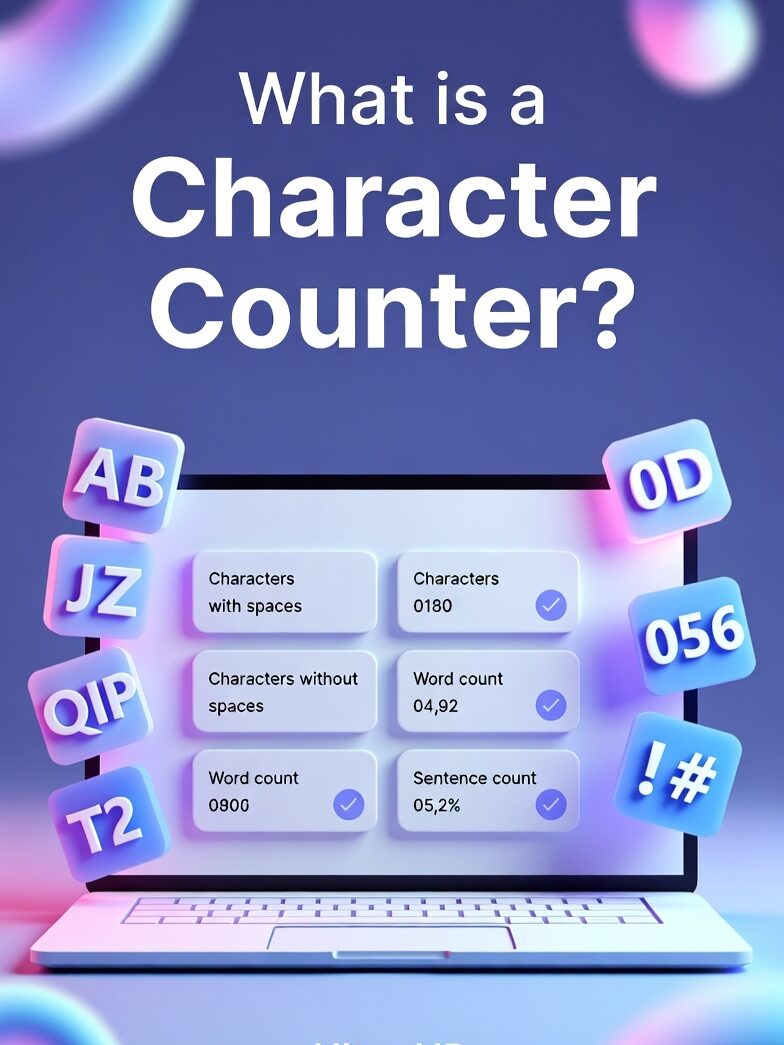
A character counter is a simple online tool that calculates the total number of characters in a given text. Characters include:
• Letters (A–Z)
• Numbers (0–9)
• Spaces
• Special symbols (!, @, #, etc.)
This tool can also show:
• Characters with spaces
• Characters without spaces
• Word count
• Sentence count (in some tools)
You May Also Know:- Title Generator
⸻
🤔 Why is Character Count Important?
Character count plays a crucial role in many real-life situations:
📱 Social Media Limits
Platforms like Twitter, Instagram, and Facebook have character limits. You must stay within the limit to post effectively.
🎓 Academic Writing
Students often have strict word or character limits for essays, assignments, and reports.
💼 Professional Use
Job applications, resumes, and cover letters may require a specific character length.
🔍 SEO Optimization
Search engines prefer optimized meta titles and descriptions with specific character lengths.
⸻
⚡ Features of Our Character Counter Tool
Our tool is designed to make your work easier and faster. Here are the key features:
• ✅ Instant character counting
• ✅ Counts with and without spaces
• ✅ 100% free and no signup required
• ✅ Mobile-friendly and fast
• ✅ Accurate results in real-time
• ✅ Easy copy-paste functionality
⸻
🛠️ How to Use Character Counter Tool
Using our tool is very simple:
1. Paste or type your text into the input box
2. The tool will automatically calculate:
• Total characters
• Characters without spaces
• Word count
3. Edit your text and see results update instantly
👉 No need to click any button — everything works in real-time.
⸻
🔢 Character Count With Spaces vs Without Spaces
Understanding the difference is important:
✔ With Spaces
This includes every character, including spaces between words.
Example:
Text: “Hello World”
Character count (with spaces): 11
✔ Without Spaces
This excludes spaces and only counts letters and symbols.
Example:
Character count (without spaces): 10
👉 Different platforms require different formats, so knowing both is useful.
⸻
📊 Who Should Use This Tool?
This tool is helpful for:
✍️ Writers & Bloggers
Ensure your content meets platform requirements.
🎓 Students
Stay within essay or assignment limits.
📢 Digital Marketers
Optimize ad copy, meta descriptions, and titles.
💻 Developers
Check string length in coding projects.
📱 Social Media Managers
Stay within character limits for posts and ads.
⸻
🧠 Real-Life Examples
Example 1: Twitter Post
You need to stay within a character limit. This tool helps you trim unnecessary words.
Example 2: Meta Description
SEO requires meta descriptions under ~160 characters.
Example 3: Essay Writing
Your assignment requires 1000 words or a specific character count.
⸻
📈 Benefits of Using an Online Character Counter
• Saves time
• Improves writing accuracy
• Helps meet content guidelines
• Enhances SEO performance
• Boosts productivity
⸻
❓ Frequently Asked Questions (FAQ)
What is a character in text?
A character includes letters, numbers, spaces, and symbols.
Does character count include spaces?
Yes, depending on the tool. Our tool shows both with and without spaces.
Is this tool free?
Yes, it is 100% free and requires no registration.
Can I use it on mobile?
Yes, the tool is fully mobile-friendly.
Is the character counter accurate?
Yes, it provides real-time and highly accurate results.
⸻
🏁 Final Thoughts
A character counter with spaces online free tool is an essential utility for anyone working with text. Whether you’re writing an essay, optimizing SEO content, or posting on social media, this tool helps you stay precise and efficient.
Start using our free character counter today and make your writing smarter, faster, and more effective.
{
"@context": "https://schema.org",
"@type": "FAQPage",
"mainEntity": [
{
"@type": "Question",
"name": "What is a character in text?",
"acceptedAnswer": {
"@type": "Answer",
"text": "A character includes letters, numbers, spaces, punctuation marks, and special symbols. Every single typed element counts as one character."
}
},
{
"@type": "Question",
"name": "Does character count include spaces?",
"acceptedAnswer": {
"@type": "Answer",
"text": "Yes, character count can include spaces depending on the tool. Our character counter shows both characters with spaces and characters without spaces."
}
},
{
"@type": "Question",
"name": "Is this character counter tool free?",
"acceptedAnswer": {
"@type": "Answer",
"text": "Yes, this character counter with spaces online free tool is 100% free. No signup or registration is required."
}
},
{
"@type": "Question",
"name": "Can I use this tool on mobile?",
"acceptedAnswer": {
"@type": "Answer",
"text": "Yes, the tool is fully mobile-friendly and works smoothly on smartphones, tablets, and all browsers."
}
},
{
"@type": "Question",
"name": "Is the character counter accurate?",
"acceptedAnswer": {
"@type": "Answer",
"text": "Yes, our tool provides instant and real-time character counting with accurate results, including spaces, words, and symbols."
}
}
]
}