
JPG to PDF 2MB Free Converter tool lets you convert high-resolution images into optimized documents online.
JPG to PDF 2MB Free Converter – Convert & Compress Free Online
Introduction
If you are trying to upload documents on a government portal, job application website, college form, or any official online service, you may have seen a common requirement: “Upload JPG to PDF 2MB Free Converter Tool.” This becomes a problem when your scanned images or photos are large in size. Most mobile cameras capture high-resolution images, and when you convert them into a PDF file, the size becomes too big.
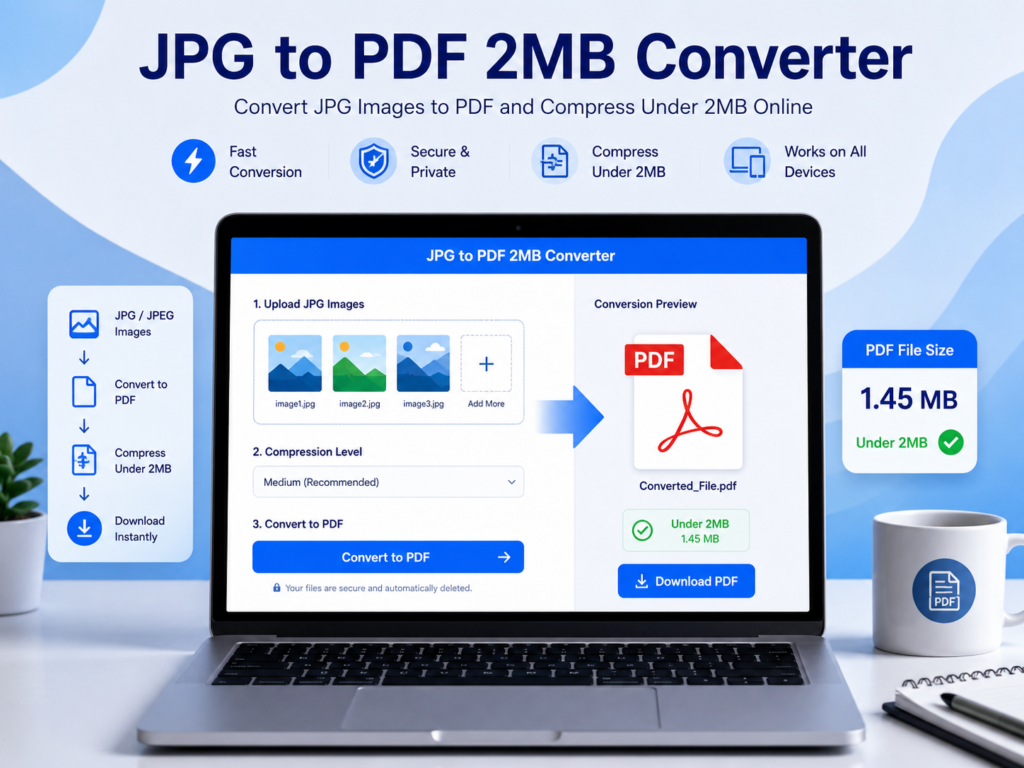
That is where a JPG to PDF 2MB Free Converter becomes extremely useful. A JPG to PDF 2MB Free Converter is an online tool that allows you to convert JPG images into a PDF file and compress it to keep the final PDF size under 2MB. This helps you submit documents quickly without worrying about file rejection due to size limits.
Our JPG to PDF 2MB Free Converter is designed to help students, job seekers, professionals, and anyone who needs a lightweight PDF file. It works online, runs smoothly on all devices, and does not require installation.
What is a JPG to PDF 2MB Free Converter?
Our JPG to PDF 2MB Free Converter is a web-based tool that converts image files (JPG or JPEG) into PDF format and reduces the PDF size so it remains under 2MB. It is mainly used when you need to upload documents such as:
- Identity cards (Aadhar, PAN, Driving License)
- Passport size photo + signature
- Certificates and marksheets
- Government exam documents
- Bank KYC documents
- Insurance documents
- School and college forms
Many websites have strict file size limits, and uploading large files becomes difficult. This JPG to PDF 2MB Free Converter solves that issue perfectly by compressing the PDF without destroying its readability.
Why Convert JPG to PDF Free Under 2MB?
There are many reasons why people prefer converting JPG to PDF under 2MB:
1. Government Websites Require Small PDF Files
Most Indian government websites like recruitment portals, scholarship forms, and admission websites accept PDF files only under 2MB.
2. Email Sharing Becomes Easier
A smaller PDF file is easier to share through Gmail, Outlook, and WhatsApp.
3. Saves Storage Space
PDF files under 2MB take less space on mobile and laptop storage.
4. Professional Document Format
PDF is the most trusted and professional format for official use.
5. Fast Uploading
Smaller file sizes upload quickly even on slow internet.
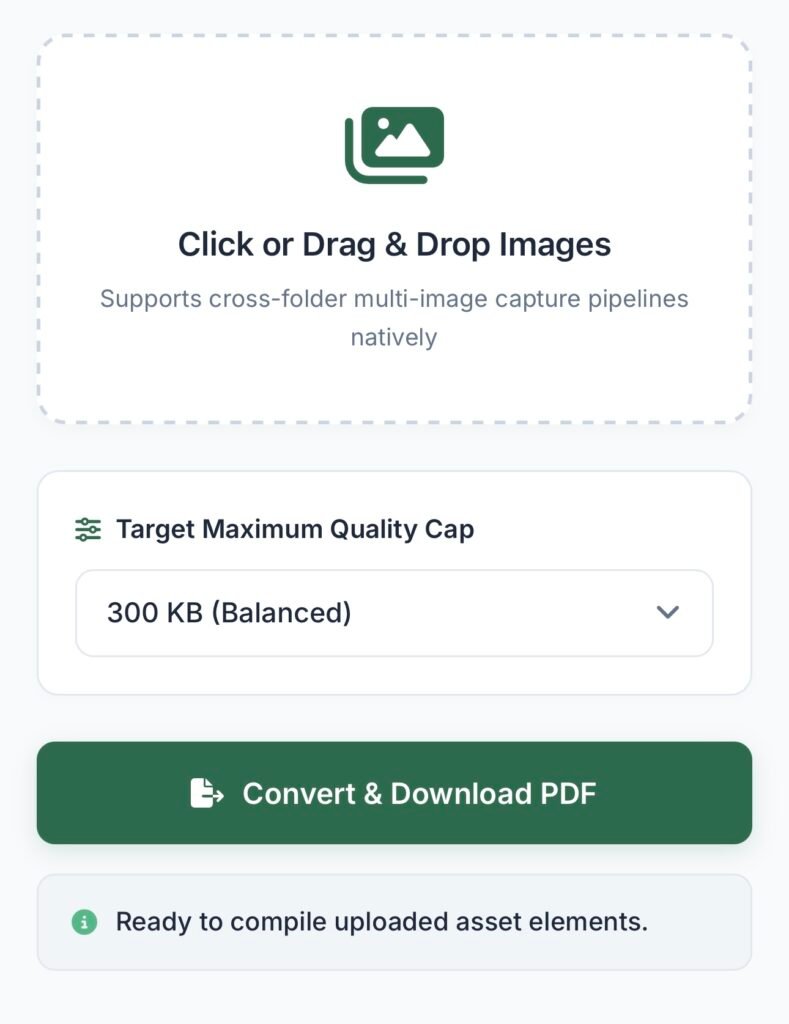
Step 1: Open the JPG to PDF 2MB Free Converter Tool
Go to the converter page on our website.
Step 2: Upload JPG Images
Click on the upload button and select your JPG/JPEG files. You can upload one image or multiple images.
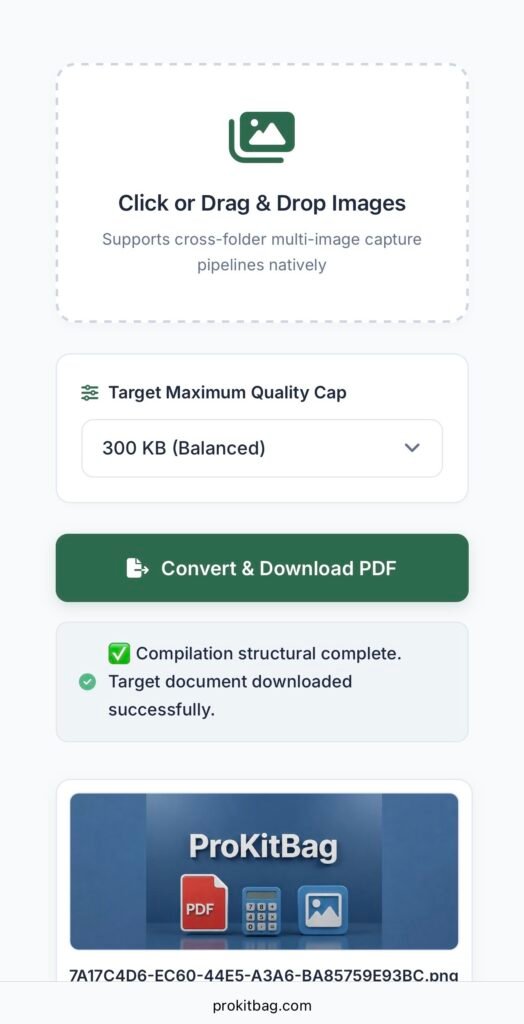
Step 3: Arrange Images in Order
If you uploaded multiple images, you can arrange them in the correct order before conversion.
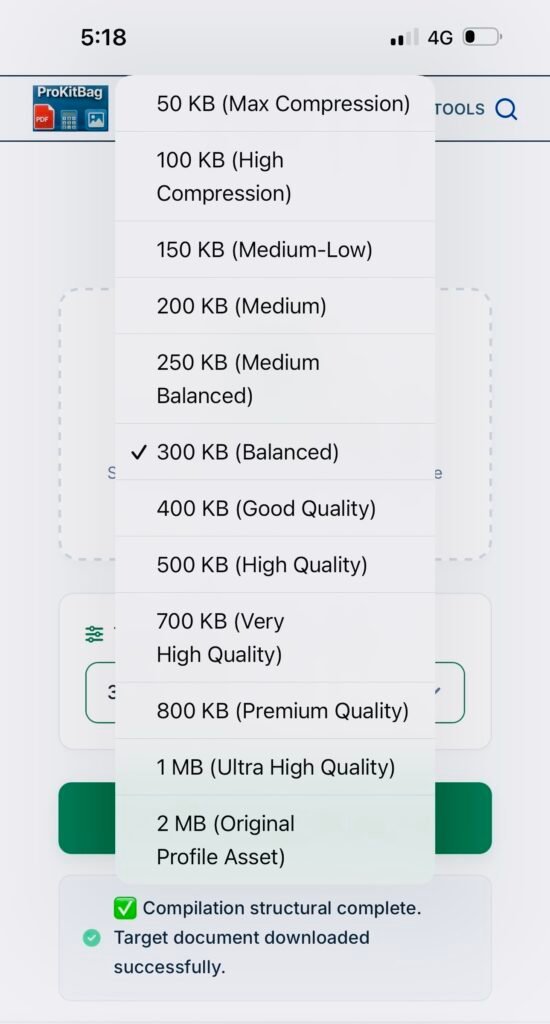
Step 4: Enable Compression
Select compression settings (low, medium, high) to ensure the final PDF stays under 2MB.
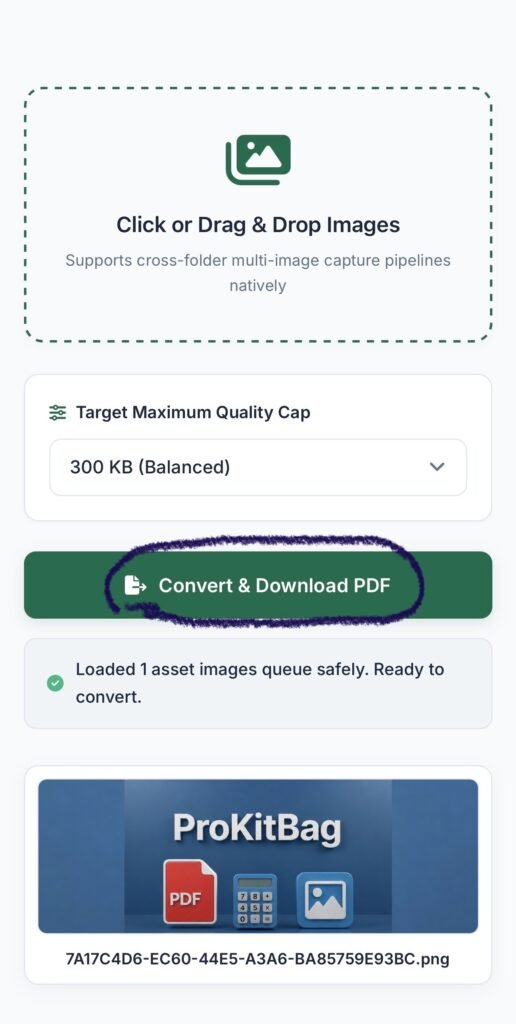
Step 5: Click Convert
Press the “Convert to PDF” button. The tool will convert and compress automatically.
Step 6: Download PDF Under 2MB
After conversion, download your final compressed PDF file.
That’s it — your PDF is ready for uploading.
Key Features of JPG to PDF 2MB Free Converter
Our tool is designed for speed, quality, and user convenience. Here are the main features:
✅ 1. Convert JPG to PDF Under 2MB Free
This tool specifically focuses on generating PDF files that meet 2MB upload requirements.
✅ 2. Free Online Tool
You don’t need to pay anything. It is 100% free.
✅ 3. No Registration Required
No signup, no login, no personal details needed.
✅ 4. High-Quality Compression
The PDF remains clear and readable even after compression.
✅ 5. Works on Mobile and Desktop
You can use it on Android, iPhone, laptop, tablet, and desktop.
✅ 6. Supports Multiple JPG Files
Upload multiple images and combine them into a single PDF.
✅ 7. Fast Processing
The conversion process is quick and smooth.
✅ 8. Secure File Handling
Your uploaded files are processed securely and deleted automatically after conversion.
Benefits of Using JPG to PDF 2MB Free Converter
Using this converter provides many benefits:
- Converts images into professional PDF format
- Reduces PDF size without heavy quality loss
- Helps in form submissions where size limit is strict
- Saves time compared to manual compression methods
- Eliminates the need for software like Adobe Acrobat
- Makes document sharing easy and fast
Whether you are applying for a job, submitting college documents, or uploading government forms, this tool is a perfect solution.
Who Should Use JPG to PDF 2MB Free Converter Tool?
This JPG to PDF 2MB free converter is useful for:
🎓 Students
Students often need to upload documents for admission forms, scholarship applications, and exam registration.
💼 Job Seekers
Job portals require resume attachments and documents under size limits.
🏦 Bank Customers
Banks often require PDF documents for KYC and loan applications.
🧾 Government Exam Applicants
Most recruitment forms accept PDFs under 2MB.
📱 Mobile Users
Mobile users can convert and compress PDFs easily without apps.
Tips to Make PDF Under 2MB Easily
If your PDF is still larger than 2MB, try these tips:
- Upload fewer images in one PDF
- Use medium/high compression
- Reduce image resolution before uploading
- Crop unnecessary areas from images
- Use grayscale if color is not required
These steps will reduce file size significantly.
Related Tools You May Need
Along with JPG to PDF 2MB free converter, you may also need these tools:
🔹 Compress PDF
If your PDF is already created but too large, use a PDF compression tool.
🔹 Merge PDF Online
Combine multiple PDFs into one file.
🔹 JPG to PDF Converter
Convert PDF pages into JPG images.
🔹 PDF to Word Converter
Convert PDF documents into editable Word format.
🔹 Image Compressor
Compress JPG images before converting to PDF.
These tools help you manage documents easily for personal and professional work.
Why Choose Our JPG to PDF 2MB Free Converter?
There are many converters online, but our tool stands out because:
- It is fast and lightweight
- It is designed for 2MB requirements
- It offers good compression without quality loss
- It works smoothly on all devices
- It provides secure conversion
- It is completely free
Our goal is to make document conversion simple and accessible for everyone.
Conclusion
A JPG to PDF 2MB Free Converter is the best solution when you need to upload documents on portals with strict size limits. Instead of wasting time with apps and software, you can convert JPG images into a PDF and compress it under 2MB instantly using an online tool.
Our converter provides a simple, fast, and secure way to create compressed PDF files. Whether you are a student, job seeker, or professional, this tool will help you save time and avoid file upload errors.
Try the JPG to PDF 2MB Free Converter today and generate high-quality PDFs under 2MB in seconds.
✅ FAQ Schema (JSON-LD)
<script type="application/ld+json">
{
  "@context": "https://schema.org",
  "@type": "FAQPage",
  "mainEntity": [
    {
      "@type": "Question",
      "name": "How do I convert JPG to PDF under 2MB?",
      "acceptedAnswer": {
        "@type": "Answer",
        "text": "Upload your JPG images, enable compression, click convert, and download the final PDF file under 2MB instantly."
      }
    },
    {
      "@type": "Question",
      "name": "Is this JPG to PDF 2MB converter free?",
      "acceptedAnswer": {
        "@type": "Answer",
        "text": "Yes, this tool is completely free to use and does not require any signup or registration."
      }
    },
    {
      "@type": "Question",
      "name": "Can I upload multiple JPG images and create one PDF?",
      "acceptedAnswer": {
        "@type": "Answer",
        "text": "Yes, you can upload multiple JPG images and combine them into a single PDF file."
      }
    },
    {
      "@type": "Question",
      "name": "How can I reduce the PDF size to exactly 2MB?",
      "acceptedAnswer": {
        "@type": "Answer",
        "text": "Use compression options while converting. If the PDF is still large, reduce image quality, crop unnecessary areas, or upload fewer images."
      }
    },
    {
      "@type": "Question",
      "name": "Is it safe to use this JPG to PDF converter?",
      "acceptedAnswer": {
        "@type": "Answer",
        "text": "Yes, your files are processed securely and deleted automatically after conversion. We do not store your files permanently."
      }
    },
    {
      "@type": "Question",
      "name": "Does this tool work on mobile phones?",
      "acceptedAnswer": {
        "@type": "Answer",
        "text": "Yes, the JPG to PDF 2MB converter works smoothly on mobile phones, tablets, and desktops without any installation."
      }
    }
  ]
}
</script>
Frequently Asked Questions
How do I convert JPG to PDF under 2MB Free?
Simply upload your JPG images to the converter tool, select your preferred compression settings (such as medium or high compression), click the Convert button, and download your optimized PDF file instantly.
Is this JPG to PDF 2MB free converter free to use?
Yes! This online tool is 100% free and does not require any registration, signup, or personal details to convert your files.
Can I combine multiple JPG images into a single PDF file?
Absolutely. You can select and upload multiple JPG or JPEG images at once, arrange them in the correct order, and compile them into a single, cohesive PDF document.
What should I do if my PDF file is still larger than 2MB?
If your file exceeds the 2MB limit, you can try using a higher compression setting, cropping out unnecessary borders from your images, reducing the original image resolution, or splitting the document to upload fewer images at a time.
Is it secure to upload my documents to this tool?
Yes, your privacy is fully protected. All uploaded assets are processed securely and are automatically deleted from our local engine servers right after the conversion cycle is complete.
Does this tool work on mobile devices?
Yes, the converter is fully responsive and runs smoothly on all major platforms, including Android, iOS (iPhone/iPad), Windows, and macOS, without needing any app installations.
How can I convert a JPG to PDF online for free?
You can use our free online JPG to PDF Converter tool. Simply upload your JPG or JPEG images directly from your browser, adjust your compression settings if you need to meet specific file size requirements, and click convert. There are absolutely no fees, sign-ups, or software installations required.
Can I combine different image formats into a single PDF?
Yes! Our free image to PDF converter allows you to select and upload multiple images at once. You can rearrange them into your preferred sequence and compile them into a single, high-quality PDF document instantly.
Does this tool allow me to merge multiple PDFs or images together?
While this specific tool focuses on converting and combining multiple JPG images into a single PDF, you can seamlessly combine existing PDF documents using our dedicated Merge PDF Online utility available on our platform.
Is it safe to use a free online JPG to PDF 2MB free converter for official documents?
Security is our top priority. When using our free online converter, all files are processed locally within a secure environment. Your uploaded assets are never shared with third parties and are completely wiped from our local engine servers the moment your conversion cycle finishes.
How does this tool compare to alternatives like iLovePDF for keeping files free and under 2MB?
Unlike many generic platforms that might gate features behind a premium subscription, our tool is custom-tailored to help you hit strict upload ceilings (like government or university forms requiring files under 2MB). It gives you precise compression targets up to 2MB for free, without imposing aggressive daily limits or watermark constraints.