
📄 Convert To PDF
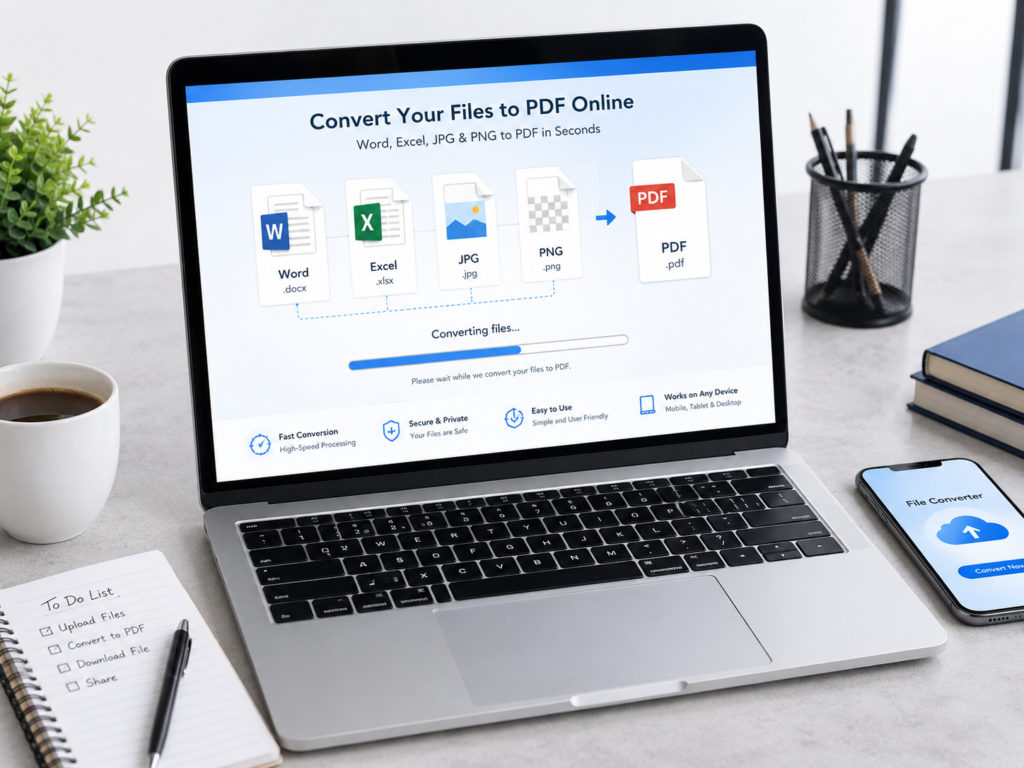
Convert Your Files to PDF Online – Word, Excel, JPG & PNG
In today’s fast-paced digital world, file conversion has become an essential part of daily work, study, and business communication. Whether you are a student submitting assignments, a professional sharing reports, or a business owner sending invoices, the ability to convert files into PDF format quickly and reliably is extremely important.
PDF (Portable Document Format) has become the universal standard for document sharing because it preserves formatting, works across all devices, and is easy to open without special software. This article will guide you through everything you need to know about converting Word, Excel, JPG, and PNG files into PDF online, along with benefits, use cases, and best practices.
What is a PDF File?
A PDF (Portable Document Format) is a file type developed to present documents consistently, regardless of the device, operating system, or software being used.
Unlike Word or Excel files, PDFs maintain:
- Original formatting
- Fonts and layout
- Images and graphics
- Document structure
This makes PDF one of the most reliable formats for sharing and printing documents.
Why Convert Files to PDF?
There are several reasons why PDF is preferred over other formats:
1. Universal Compatibility
PDF files can be opened on any device—Windows, Mac, Android, or iOS—without needing specialized software.
2. Preserves Formatting
When you convert Word, Excel, or images to PDF, the layout remains unchanged.
3. Easy Sharing
PDFs are lightweight and easy to email or upload to websites.
4. Secure Format
You can protect PDFs with passwords to prevent editing or unauthorized access.
5. Professional Appearance
Documents in PDF format look clean, polished, and professional.
Convert Word to PDF Online
Microsoft Word documents (.doc or .docx) are widely used for creating reports, resumes, and assignments. However, when sharing them, formatting can sometimes change depending on the device.
Benefits of Word to PDF Conversion:
- Maintains fonts, margins, and layout
- Prevents accidental edits
- Ideal for resumes, letters, and reports
- Easy to print
Common Use Cases:
- Job applications (resume submission)
- Academic assignments
- Business reports
- Legal documents
With an online converter, you simply upload your Word file and download the converted PDF in seconds.
Convert Excel to PDF Online
Excel files are essential for data management, accounting, and analysis. However, sharing raw Excel sheets is not always ideal.
Why Convert Excel to PDF?
- Preserves tables and charts
- Prevents formula editing
- Makes data presentation cleaner
- Suitable for printing financial reports
Best Use Cases:
- Financial statements
- Invoices and billing sheets
- Data reports
- Project tracking sheets
When converted to PDF, Excel data becomes more readable and presentation-friendly.
Convert JPG to PDF Online
Images in JPG format are commonly used for photos, scanned documents, and screenshots. Converting JPG to PDF helps in organizing multiple images into a single file.
Advantages:
- Combine multiple images into one PDF
- Easy sharing of scanned documents
- Maintains image quality
- Suitable for official submissions
Popular Uses:
- Scanned certificates
- ID cards and documents
- Photo albums
- Homework submissions
This conversion is especially useful for students and office workers dealing with scanned paperwork.
Convert PNG to PDF Online
PNG files are widely used for images with transparent backgrounds, graphics, and logos. Converting PNG to PDF ensures better document organization.
Why Convert PNG to PDF?
- Combines multiple images into one file
- Preserves high image quality
- Ideal for design presentations
- Reduces file clutter
Common Applications:
- Graphic design portfolios
- Marketing materials
- Business logos
- Digital artwork collections
PDF format makes PNG images easier to share in a structured document format.
How Online File Conversion Works
Online file conversion tools are simple and user-friendly. The general process is:
- Upload your file (Word, Excel, JPG, or PNG)
- Select output format (PDF)
- Click on “Convert”
- Download the converted file
Most tools work instantly without requiring installation or registration.
Advantages of Using Online PDF Converters
1. No Software Installation
You don’t need Microsoft Office or Adobe Acrobat.
2. Works on Any Device
Mobile, tablet, or desktop—all supported.
3. Fast Processing
Converts files within seconds.
4. Free to Use
Most online tools are completely free.
5. Cloud-Based Access
No need to store large software files on your device.
Safety and Privacy in Online Conversion
When using online tools, file security is important. Reliable converters ensure:
- Files are deleted automatically after conversion
- Encrypted upload process
- No unauthorized access to documents
Always choose trusted platforms for sensitive documents like financial records or personal IDs.
Tips for Best PDF Conversion Results
1. Use High-Quality Files
Ensure your original document or image is clear and readable.
2. Check Formatting Before Upload
Make sure Word or Excel files are properly aligned.
3. Compress Large Images
Large image files may take longer to convert.
4. Use Batch Conversion for Multiple Files
Combine multiple files into a single PDF for convenience.
5. Rename Files Properly
Use clear file names for easy identification later.
Who Can Benefit from PDF Conversion Tools?
PDF conversion tools are not limited to a specific group of users. In fact, they are designed to serve almost everyone who works with digital documents in any capacity. From students and teachers to business owners, freelancers, designers, and government professionals, PDF tools make file handling faster, safer, and more efficient.
Below is a detailed explanation of who can benefit the most from PDF conversion tools and how they can improve productivity in different fields.
1. Students and Academic Users
Students are among the biggest users of PDF conversion tools. In schools, colleges, and universities, assignments, notes, projects, and research work are often shared in digital format.
How students benefit:
- Convert handwritten notes into digital PDFs
- Submit assignments in required PDF format
- Combine multiple scanned pages into one file
- Preserve formatting of project reports
- Share study material easily with classmates
For example, a student can take photos of handwritten notes using a phone and convert them into a single organized PDF file instead of sending multiple images. This makes submissions more professional and easier for teachers to review.
2. Teachers and Educators
Teachers regularly prepare study materials, worksheets, question papers, and presentations. PDF conversion tools help them distribute content efficiently.
Benefits for teachers:
- Create printable worksheets in PDF format
- Convert Word lesson plans into secure PDFs
- Share notes that cannot be edited by students
- Combine multiple documents into one study pack
- Ensure consistent formatting across devices
PDF files also help educators maintain professionalism and prevent accidental changes to important academic content.
3. Office Professionals
In corporate environments, document sharing is a daily activity. Office professionals deal with reports, presentations, invoices, and contracts.
How they benefit:
- Convert Excel reports into PDF for secure sharing
- Send Word documents without formatting errors
- Create professional business reports
- Protect confidential files from editing
- Archive important documents safely
For example, financial reports prepared in Excel can be converted into PDF before sending to clients, ensuring data integrity and preventing unwanted modifications.
4. Business Owners and Entrepreneurs
Small and large business owners rely heavily on documentation for operations. PDF tools help streamline communication and documentation processes.
Business benefits:
- Create invoices and quotations in PDF format
- Share contracts securely with clients
- Maintain consistent branding in documents
- Store records in a standardized format
- Send professional proposals to customers
PDF files also help businesses appear more organized and trustworthy. A well-formatted PDF invoice or proposal creates a strong professional impression.
5. Freelancers and Remote Workers
Freelancers such as writers, designers, developers, and marketers often share work with clients online. PDF conversion tools help them deliver polished and secure files.
Advantages for freelancers:
- Send project deliverables in PDF format
- Protect creative work from editing
- Combine multiple files into portfolios
- Present proposals professionally
- Ensure compatibility across devices
For instance, a graphic designer can convert design mockups into a PDF portfolio and send it to clients in a single organized file.
6. Designers and Creative Professionals
Designers frequently work with images, layouts, and visual content. PDF tools help them package their work in a presentable format.
Benefits for designers:
- Convert PNG and JPG designs into PDF portfolios
- Share branding concepts with clients
- Maintain image quality during sharing
- Combine multiple design pages into one file
- Present creative work in a structured format
PDF format is widely used in the design industry because it preserves image quality and layout exactly as intended.
7. Government and Administrative Workers
Government departments and administrative offices handle a large number of official documents daily. PDF conversion tools simplify documentation and record management.
How they benefit:
- Digitize paper records into PDF files
- Store official documents securely
- Share notices and circulars efficiently
- Maintain uniform document structure
- Reduce paper usage and improve digital workflow
Many government systems now rely on PDF files for official communication due to their reliability and security.
8. Legal Professionals
Lawyers, legal advisors, and court officials work with sensitive documents that must remain unchanged.
Benefits in legal work:
- Secure contracts and agreements in PDF format
- Prevent unauthorized editing of legal documents
- Share case files safely with clients
- Archive important legal records
- Maintain document authenticity
PDF format ensures that legal documents remain tamper-proof and legally reliable.
9. Healthcare Professionals
Doctors, hospitals, and clinics also benefit from PDF conversion tools for managing patient records and reports.
Healthcare advantages:
- Convert medical reports into PDF format
- Store patient records digitally
- Share lab results securely
- Maintain organized health documentation
- Ensure privacy and data protection
PDF files make it easier to manage large volumes of medical data efficiently.
10. Content Creators and Bloggers
Content creators, bloggers, and digital marketers often need to share guides, ebooks, and reports.
Benefits for creators:
- Convert blog posts into downloadable PDFs
- Create ebooks and lead magnets
- Share media kits with brands
- Offer downloadable resources to audiences
- Maintain professional presentation of content
PDF format is widely used in online marketing for distributing valuable content in a structured way.
11. Everyday Internet Users
Even regular users who do not belong to any professional field can benefit from PDF conversion tools.
Common uses:
- Convert scanned documents into PDF
- Save online receipts or bills
- Store personal records digitally
- Share photos in organized files
- Create simple document backups
For everyday tasks, PDF tools make digital life more organized and convenient.
Why PDF Conversion Tools Are Universally Useful
The main reason PDF tools are so widely used is their simplicity and versatility. They work for almost every type of user and every type of file.
Key advantages include:
- Easy to use without technical knowledge
- Fast file processing
- Works on mobile and desktop
- No software installation required
- Maintains original file quality
- Secure and reliable document sharing
As digital communication continues to grow, PDF tools are becoming a standard requirement for personal and professional work.
Final Thoughts
PDF conversion tools have become an essential part of modern digital workflows. Whether you are a student submitting assignments, a business owner sharing invoices, or a freelancer sending client work, these tools simplify your tasks and improve efficiency.
They save time, maintain document quality, and ensure smooth sharing across all platforms. With the growing need for digital documentation, PDF tools are no longer optional—they are a necessity for everyone.
In short, anyone who works with documents can benefit from PDF conversion tools, making them one of the most useful utilities in today’s digital world.
Future of Online File Conversion
With the growth of cloud computing and AI tools, file conversion is becoming even faster and smarter. Future tools may include:
- AI-powered formatting correction
- Instant multi-format conversion
- Better compression without quality loss
- Integrated cloud storage solutions
This will make document handling even more efficient for users worldwide.
Conclusion
Converting files like Word, Excel, JPG, and PNG into PDF online has become an essential digital skill. It saves time, improves document quality, and ensures compatibility across all devices.
Whether you are a student, professional, or business owner, PDF conversion tools simplify your workflow and make file sharing more efficient and secure.
With just a few clicks, you can transform any file into a professional PDF document—ready to share, print, or store safely.
FAQs
FAQ (Frequently Asked Questions)
1. What is a JPG to PDF converter?
A JPG to PDF converter is an online tool that allows you to easily convert image files (JPG format) into PDF documents without losing quality.
2. How can I Merge PDF files online for free?
You can use a free online tool to Merge PDF files by uploading multiple PDFs and combining them into a single document in just one click.
3. Can I convert files like Word, Excel, JPG, and PNG into PDF online?
Yes, many tools support free converting files like Word, Excel, JPG and PNG into PDF online without installing any software.
4. Is there an Image to PDF converter free download available?
Yes, you can either use online tools or download an Image to PDF converter free version for offline use on your device.
5. Which is the best PDF converter online free?
The best PDF converter online free tool should support multiple formats, fast processing, secure file handling, and no watermark on downloads.
6. How to convert picture to PDF on iPhone?
You can convert picture to PDF on iPhone using the Files app, Notes app, or any online PDF converter by uploading your image and downloading the PDF.
7. What is a PDF to PDF converter?
A PDF to PDF converter allows you to modify or optimize an existing PDF, such as compressing, editing, or changing its format settings.
8. How do I Convert PNG to PDF easily?
To Convert PNG to PDF, simply upload your PNG file to an online converter and download the converted PDF instantly.
9. Are online PDF converters safe to use?
Most reputable PDF converter online free tools use encryption and auto-delete files after processing, making them safe for general use.
10. Do I need to install software for PDF conversion?
No, you can perform JPG to PDF, Merge PDF, and other conversions directly online without installing any software.