
Free PDF to Text Converter: Extract Text From PDF Online (100% Secure)
Have you ever tried to copy text from a scanned PDF or an image-heavy document only to find that you couldn’t select the words? ProKitBag Free PDF to Text Converter solves this problem instantly. Without installing any bulky software, you can convert any PDF document into fully editable plain text (.txt) format in just a few seconds.
Our advanced online utility utilizes next-generation client-side extraction and Intelligent OCR (Optical Character Recognition) AI technology. This means that whether your document is a native digital file or a mobile photo scan, our tool accurately reads and pulls every single character effortlessly.
You May Also Visit:-
EMI Calculator
SIP Calculator
FD Calculator
GST Calculator
Income Tax Calculator
How to Convert PDF to Text Online? (Step-by-Step)
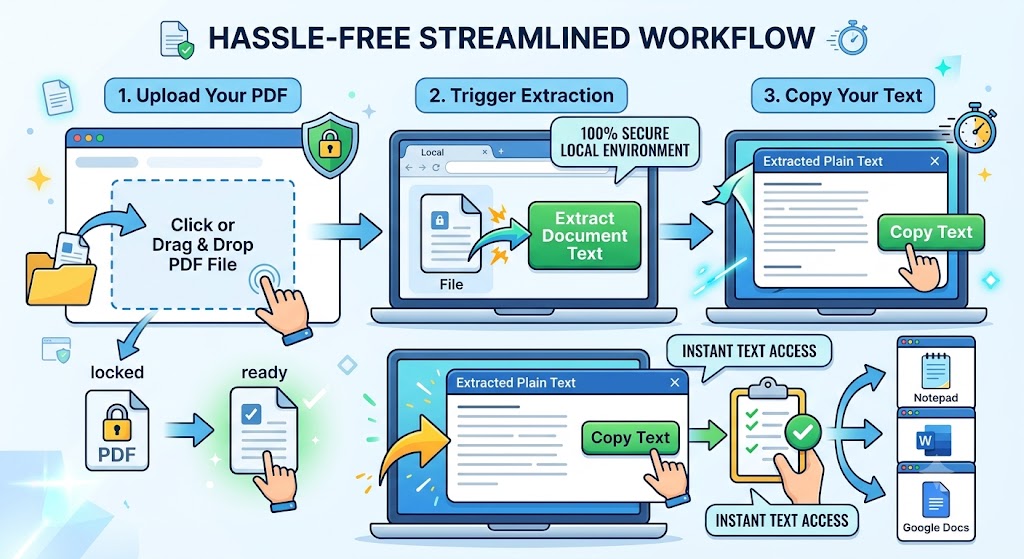
Our platform features a highly streamlined workflow, keeping your experience clean and completely hassle-free:
- Upload Your PDF: Click inside the dashed dropzone area or simply drag and drop your file where it says
Click or Drag & Drop PDF File. - Trigger Extraction: Once your file is safely loaded into the local browser environment, click the green Extract Document Text button.
- Copy Your Text: In a matter of seconds, the
Extracted Plain Textoutput module will open dynamically. Click Copy Text to instantly copy all content to your clipboard, ready to be pasted into Notepad, Word, or Google Docs.
Key Features: Why Choose ProKitBag?
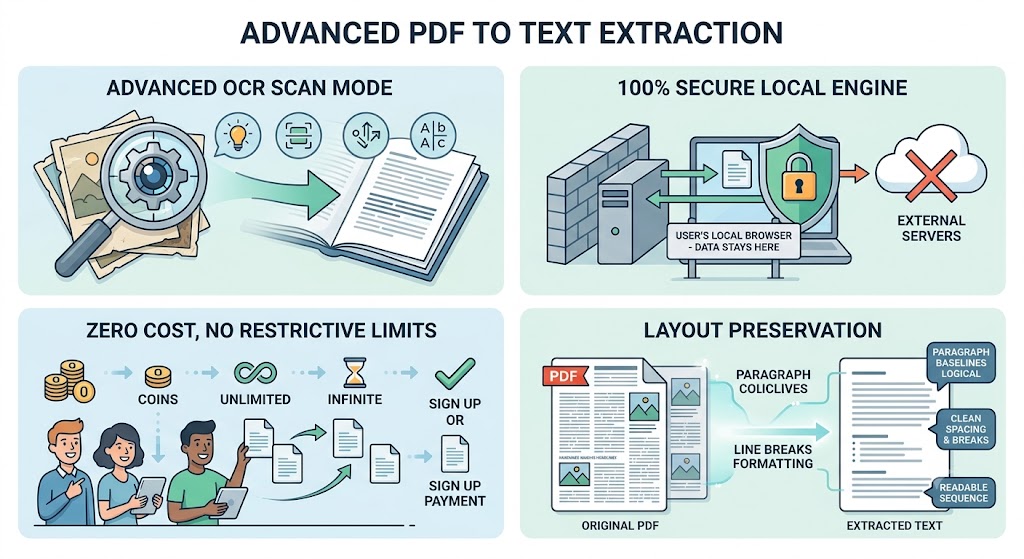
- Advanced OCR Scan Mode: If our script detects that your PDF contains flat image layers instead of digital text, it automatically deploys a powerful browser-based OCR engine to decode the characters.
- 100% Secure Local Engine: Unlike traditional online tools, your files are never uploaded to an external server. All processing occurs locally within your system browser, offering unmatched data privacy.
- Zero Cost, No Restrictive Limits: You do not need to register, sign up, or pay a subscription fee. Enjoy unlimited conversions all day long.
- Layout Preservation: The tool reads paragraph baselines logically, ensuring that spacing, breaks, and line sequences remain clean and readable.
Feature Comparison: Digital Text Extraction vs. Intelligent OCR
To help you understand how our advanced dual-engine framework processes different document types, look at this breakdown:
| Capability / Feature | Native Digital PDF Extraction | Intelligent OCR AI Scan |
| Best Used For | Typed documents, exported eBooks, saved web pages. | Scanned printouts, book photos, mobile receipts. |
| Processing Speed | Ultra-Fast (Blazing fast array reading) | Fast (Requires image layer rendering) |
| Accuracy Rate | 100% Absolute String Capture | High-Fidelity Character Matching |
| Language Support | Standard universal encoded text characters | Enhanced Western text typography (English) |
| Server Upload Requirement | Zero Data Upload (100% Local) | Zero Data Upload (100% Local) |
Why Is a PDF to Text Tool Essential?
While PDFs are great for viewing and printing documents universally, extracting or editing their data can be incredibly tedious. Using a dedicated converter provides several business and academic benefits:
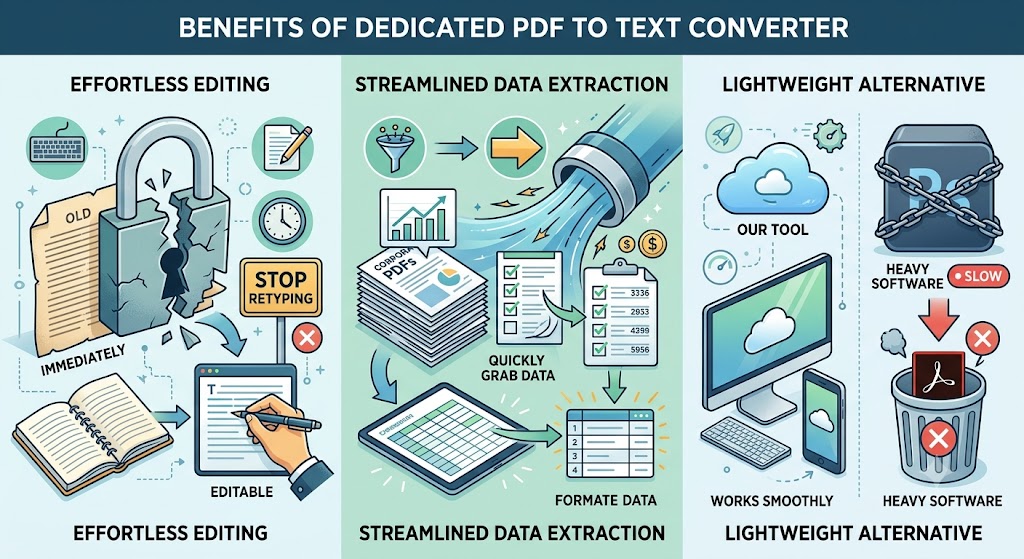
- Effortless Editing: Stop retyping text blocks manually. Turn locked files into editable elements immediately.
- Streamlined Data Extraction: Quickly grab critical numbers, lists, or text blocks out of corporate PDFs for data cleaning and formatting.
- Lightweight Alternative: Skip expensive, heavy software suites (like Adobe Acrobat Pro) that slow down your machine. Our tool works smoothly on both desktop and mobile layouts.
Frequently Asked Questions (FAQs)
Q1. Does ProKitBag store my uploaded PDF documents?
No. ProKitBag uses a secure local engine architecture. Your files stay entirely within your web browser layers during the transformation cycle. With a strict Zero Data Upload Cycle, your privacy is fully protected.
Q2. Can this tool convert scanned images or photocopied PDFs?
Yes! Our system features an Intelligent OCR Engine. If a document contains zero selectable digital text layers, the AI scanner activates automatically, converts pages into high-scale canvases, and extracts text strings right out of the image layers.
Q3. Are there any hidden fees or daily limits?
No. This converter is completely free to use. There are no paywalls, capping thresholds, or sign-up forms required to use it.
Q4. What happens if the extracted text looks unformatted?
Our structural layout-preserving architecture groups character elements in a linear timeline. However, if a source image is highly distorted, blurry, or lacks proper baseline lighting, minor text alignment shifts might occur.