
JPG to PDF 2MB Converter – Convert & Compress Free Online
Introduction
If you are trying to upload documents on a government portal, job application website, college form, or any official online service, you may have seen a common requirement: “Upload PDF file under 2MB.” This becomes a problem when your scanned images or photos are large in size. Most mobile cameras capture high-resolution images, and when you convert them into a PDF file, the size becomes too big.
That is where a JPG to PDF 2MB Converter becomes extremely useful. A JPG to PDF 2MB converter is an online tool that allows you to convert JPG images into a PDF file and compress it to keep the final PDF size under 2MB. This helps you submit documents quickly without worrying about file rejection due to size limits.
Our JPG to PDF 2MB Converter is designed to help students, job seekers, professionals, and anyone who needs a lightweight PDF file. It works online, runs smoothly on all devices, and does not require installation.
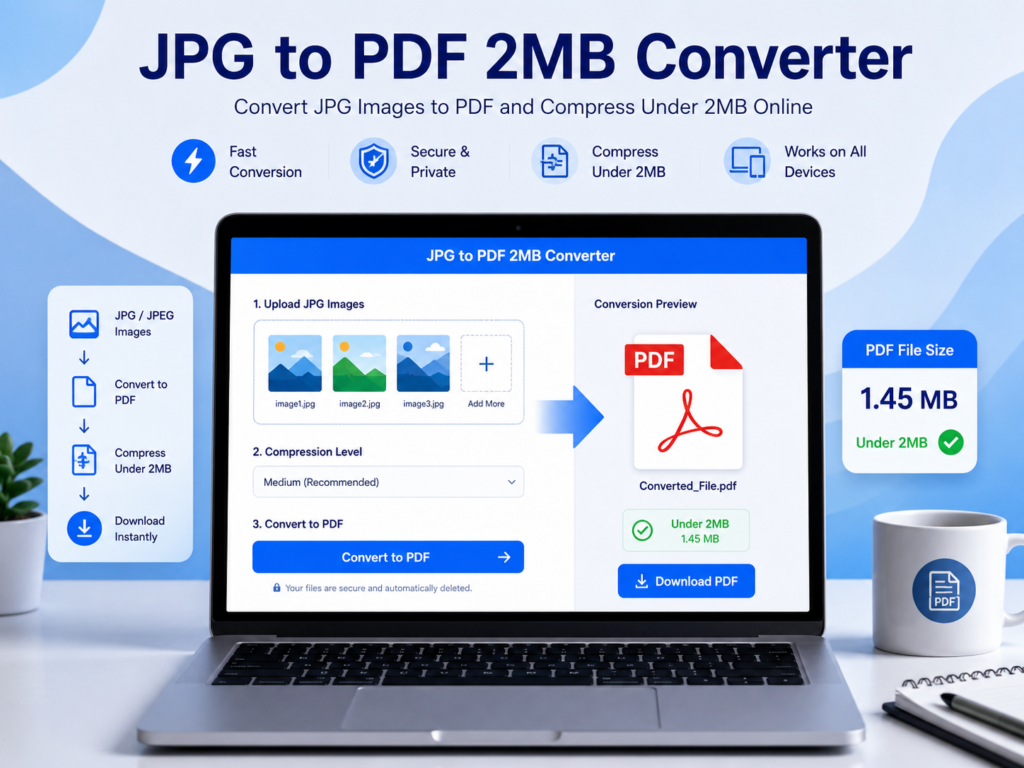
What is a JPG to PDF 2MB Converter?
A JPG to PDF 2MB converter is a web-based tool that converts image files (JPG or JPEG) into PDF format and reduces the PDF size so it remains under 2MB. It is mainly used when you need to upload documents such as:
- Identity cards (Aadhar, PAN, Driving License)
- Passport size photo + signature
- Certificates and marksheets
- Government exam documents
- Bank KYC documents
- Insurance documents
- School and college forms
Many websites have strict file size limits, and uploading large files becomes difficult. This converter solves that issue by compressing the PDF without destroying readability.
Why Convert JPG to PDF Under 2MB?
There are many reasons why people prefer converting JPG to PDF under 2MB:
1. Government Websites Require Small PDF Files
Most Indian government websites like recruitment portals, scholarship forms, and admission websites accept PDF files only under 2MB.
2. Email Sharing Becomes Easier
A smaller PDF file is easier to share through Gmail, Outlook, and WhatsApp.
3. Saves Storage Space
PDF files under 2MB take less space on mobile and laptop storage.
4. Professional Document Format
PDF is the most trusted and professional format for official use.
5. Fast Uploading
Smaller file sizes upload quickly even on slow internet.
How to Convert JPG to PDF Under 2MB? (Step-by-Step Guide)
Using our JPG to PDF 2MB converter is simple. Follow these steps:
Step 1: Open the JPG to PDF 2MB Converter Tool
Go to the converter page on our website.
Step 2: Upload JPG Images
Click on the upload button and select your JPG/JPEG files. You can upload one image or multiple images.
Step 3: Arrange Images in Order
If you uploaded multiple images, you can arrange them in the correct order before conversion.
Step 4: Enable Compression
Select compression settings (low, medium, high) to ensure the final PDF stays under 2MB.
Step 5: Click Convert
Press the “Convert to PDF” button. The tool will convert and compress automatically.
Step 6: Download PDF Under 2MB
After conversion, download your final compressed PDF file.
That’s it — your PDF is ready for uploading.
Key Features of JPG to PDF 2MB Converter
Our tool is designed for speed, quality, and user convenience. Here are the main features:
✅ 1. Convert JPG to PDF Under 2MB
This tool specifically focuses on generating PDF files that meet 2MB upload requirements.
✅ 2. Free Online Tool
You don’t need to pay anything. It is 100% free.
✅ 3. No Registration Required
No signup, no login, no personal details needed.
✅ 4. High-Quality Compression
The PDF remains clear and readable even after compression.
✅ 5. Works on Mobile and Desktop
You can use it on Android, iPhone, laptop, tablet, and desktop.
✅ 6. Supports Multiple JPG Files
Upload multiple images and combine them into a single PDF.
✅ 7. Fast Processing
The conversion process is quick and smooth.
✅ 8. Secure File Handling
Your uploaded files are processed securely and deleted automatically after conversion.
Benefits of Using JPG to PDF 2MB Converter
Using this converter provides many benefits:
- Converts images into professional PDF format
- Reduces PDF size without heavy quality loss
- Helps in form submissions where size limit is strict
- Saves time compared to manual compression methods
- Eliminates the need for software like Adobe Acrobat
- Makes document sharing easy and fast
Whether you are applying for a job, submitting college documents, or uploading government forms, this tool is a perfect solution.
Who Should Use This Tool?
This JPG to PDF 2MB converter is useful for:
🎓 Students
Students often need to upload documents for admission forms, scholarship applications, and exam registration.
💼 Job Seekers
Job portals require resume attachments and documents under size limits.
🏦 Bank Customers
Banks often require PDF documents for KYC and loan applications.
🧾 Government Exam Applicants
Most recruitment forms accept PDFs under 2MB.
📱 Mobile Users
Mobile users can convert and compress PDFs easily without apps.
Tips to Make PDF Under 2MB Easily
If your PDF is still larger than 2MB, try these tips:
- Upload fewer images in one PDF
- Use medium/high compression
- Reduce image resolution before uploading
- Crop unnecessary areas from images
- Use grayscale if color is not required
These steps will reduce file size significantly.
Related Tools You May Need
Along with JPG to PDF 2MB converter, you may also need these tools:
🔹 Compress PDF
If your PDF is already created but too large, use a PDF compression tool.
🔹 Merge PDF Online
Combine multiple PDFs into one file.
🔹 JPG to PDF Converter
Convert PDF pages into JPG images.
🔹 PDF to Word Converter
Convert PDF documents into editable Word format.
🔹 Image Compressor
Compress JPG images before converting to PDF.
These tools help you manage documents easily for personal and professional work.
Why Choose Our JPG to PDF 2MB Converter?
There are many converters online, but our tool stands out because:
- It is fast and lightweight
- It is designed for 2MB requirements
- It offers good compression without quality loss
- It works smoothly on all devices
- It provides secure conversion
- It is completely free
Our goal is to make document conversion simple and accessible for everyone.
Conclusion
A JPG to PDF 2MB Converter is the best solution when you need to upload documents on portals with strict size limits. Instead of wasting time with apps and software, you can convert JPG images into a PDF and compress it under 2MB instantly using an online tool.
Our converter provides a simple, fast, and secure way to create compressed PDF files. Whether you are a student, job seeker, or professional, this tool will help you save time and avoid file upload errors.
Try the JPG to PDF 2MB Converter today and generate high-quality PDFs under 2MB in seconds.
✅ FAQ Schema (JSON-LD)
<script type="application/ld+json">
{
  "@context": "https://schema.org",
  "@type": "FAQPage",
  "mainEntity": [
    {
      "@type": "Question",
      "name": "How do I convert JPG to PDF under 2MB?",
      "acceptedAnswer": {
        "@type": "Answer",
        "text": "Upload your JPG images, enable compression, click convert, and download the final PDF file under 2MB instantly."
      }
    },
    {
      "@type": "Question",
      "name": "Is this JPG to PDF 2MB converter free?",
      "acceptedAnswer": {
        "@type": "Answer",
        "text": "Yes, this tool is completely free to use and does not require any signup or registration."
      }
    },
    {
      "@type": "Question",
      "name": "Can I upload multiple JPG images and create one PDF?",
      "acceptedAnswer": {
        "@type": "Answer",
        "text": "Yes, you can upload multiple JPG images and combine them into a single PDF file."
      }
    },
    {
      "@type": "Question",
      "name": "How can I reduce the PDF size to exactly 2MB?",
      "acceptedAnswer": {
        "@type": "Answer",
        "text": "Use compression options while converting. If the PDF is still large, reduce image quality, crop unnecessary areas, or upload fewer images."
      }
    },
    {
      "@type": "Question",
      "name": "Is it safe to use this JPG to PDF converter?",
      "acceptedAnswer": {
        "@type": "Answer",
        "text": "Yes, your files are processed securely and deleted automatically after conversion. We do not store your files permanently."
      }
    },
    {
      "@type": "Question",
      "name": "Does this tool work on mobile phones?",
      "acceptedAnswer": {
        "@type": "Answer",
        "text": "Yes, the JPG to PDF 2MB converter works smoothly on mobile phones, tablets, and desktops without any installation."
      }
    }
  ]
}
</script>