
Convert HEIC to JPG Online Free with ProKitBag
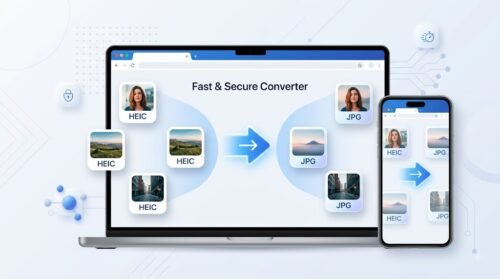
ProKitBag’s HEIC to JPG Converter lets you convert Apple HEIC images into universally compatible JPG format in just a few clicks. Whether you’re using an iPhone, iPad, Windows PC, Mac, or Android device, our browser-based tool delivers fast, high-quality conversions without installing any software. Simply upload your HEIC files, click convert, and download your JPG images instantly. Your image quality is preserved while ensuring maximum compatibility with websites, apps, and devices. Best of all, it’s completely free, secure, and easy to use. All uploaded files are encrypted during transfer and automatically deleted after processing to protect your privacy and keep your data safe.
Beyond format conversion, ProKitBag offers a complete ecosystem of All Image Tools to handle every aspect of your daily workflow. If you need to optimize file sizes for the web, our Image Compressor reduces file weight without sacrificing quality. You can also easily adjust dimensions using our Image Resizer, or perfectly frame your photos with the precise Image Cropper.
For document management and digitizing workflows, quickly extract readable text from graphics using our Image to Text (OCR) tool, or merge multiple photos into a clean document using our Images to PDF converter. Everything you need to edit, optimize, and transform your visuals is available right in your browser.
Convert HEIC to JPG Online for Free
How to Convert HEIC to JPG
Converting your HEIC images to JPG with ProKitBag is quick and simple.
Step 1: Upload Your HEIC Files
Click the “Choose Files” button or drag and drop one or multiple HEIC images into the upload area.
Step 2: Start the Conversion
Press the “Convert to JPG” button. Our tool will instantly process your HEIC files while maintaining excellent image quality.
Step 3: Download Your JPG Images
Once the conversion is complete, click “Download JPG” to save your converted images to your device.
🖼️ High-Quality Image Conversion
Our advanced HEIC to JPG converter preserves image clarity, colors, and details during conversion. Even HEIC files containing multiple images are processed accurately, giving you crisp, high-resolution JPG files every time.
⚡ Fast & Effortless Conversion
No complicated software or registration required. Simply upload your HEIC images, click convert, and download high-quality JPG files within seconds. Whether you’re using Windows, macOS, Android, or iPhone, ProKitBag works directly in your browser.
🔒 100% Free, Safe & Secure
Your privacy is our priority. All file transfers are protected with secure HTTPS encryption. Uploaded files are processed safely and automatically deleted from our servers after a short period, ensuring complete privacy and security.
More Free Image Tools by ProKitBag
Need to edit your images after converting them? Explore our powerful collection of free online image tools.
🖼️ Image Resizer
Resize images to any custom dimensions without losing quality.
✂️ Crop Image
Remove unwanted areas and focus on the important parts of your photos.
📉 Image Compressor
Reduce image file size while maintaining excellent visual quality for faster uploads.
🎨 Color Picker
Extract any color from your image or choose the perfect shade using our online color picker.
🔍 Image Enlarger
Increase image dimensions while preserving sharpness and clarity.
🖼️ Collage Maker
Combine multiple photos into beautiful, customizable collages for social media, presentations, or personal memories.
Convert HEIC to JPG online with ProKitBag—it’s fast, free, secure, and designed to deliver high-quality results on every device.
How do I convert HEIC to JPG online?
You can convert HEIC to JPG online using ProKitBag’s free HEIC to JPG Converter. Upload your HEIC image, click “Convert to JPG,” and download the converted JPG file instantly.
Is the HEIC to JPG converter free?
Yes. ProKitBag’s HEIC to JPG Converter is completely free to use. You can convert your HEIC images without paying for software or creating an account.
Can I convert multiple HEIC files to JPG at once?
Yes. ProKitBag allows you to upload multiple HEIC images and convert them to JPG, making it convenient when you have several photos to process.
Does converting HEIC to JPG reduce image quality?
ProKitBag is designed to maintain excellent image quality during conversion. Your photos retain their important details, colors, and clarity while being converted into the widely supported JPG format.
Can I convert HEIC to JPG on an iPhone?
Yes. You can use the ProKitBag HEIC to JPG Converter directly from your iPhone browser. No additional software or app installation is required.
Can I convert HEIC to JPG on Windows?
Yes. ProKitBag works directly in modern web browsers on Windows computers. Simply upload your HEIC files, convert them, and download the JPG images.
Do I need to install software to convert HEIC to JPG?
No. ProKitBag is a browser-based HEIC to JPG converter, so you don’t need to install additional software or extensions.
Is it safe to convert HEIC images online?
ProKitBag uses secure HTTPS connections to protect file transfers. Uploaded files are also automatically deleted after processing according to the tool’s file-handling process.
What is the difference between HEIC and JPG?
HEIC is an image format commonly used by Apple devices because it can provide high image quality with smaller file sizes. JPG is a more widely supported format that works across websites, apps, computers, and mobile devices.
Why should I convert HEIC to JPG?
Converting HEIC to JPG can improve compatibility with websites, social media platforms, applications, and devices that don’t fully support HEIC files. JPG is one of the most widely supported image formats.
Can I convert HEIC to JPG without creating an account?
Yes. You can use ProKitBag’s HEIC to JPG Converter without registration or an account.
Can Android devices open HEIC files?
Support for HEIC varies between Android devices and apps. Converting HEIC images to JPG provides better compatibility and makes them easier to open, share, upload, and edit on different devices.
Can I use the HEIC to JPG converter on Mac?
Yes. ProKitBag’s online converter works in a web browser on Mac computers. Upload your HEIC files, convert them to JPG, and download the results.
What can I do with my JPG files after conversion?
After converting your HEIC images to JPG, you can resize, crop, compress, or edit them. ProKitBag also provides other free image tools, including an Image Resizer, Image Compressor, Image Cropper, Color Picker, Image Enlarger, and Collage Maker.